> ## Documentation Index
> Fetch the complete documentation index at: https://docs.messagedesk.com/llms.txt
> Use this file to discover all available pages before exploring further.
# Submit A2P Carrier Registration
> Submit your A2P 10DLC and toll-free carrier registration in MessageDesk. Step-by-step guide to brand info, use case selection, and approval timing.
# How to submit your carrier registration with MessageDesk
Carrier registration is **built into** MessageDesk's phone setup flow. When you configure phone lines, you'll provide your business details, choose how you want to connect numbers, and submit registration. It all happens in one place.
***
## What you'll need to complete carrier registration (quick checklist)
* **Valid payment method**
* **Legal business name** (exactly as filed, incl. LLC/Inc)
* **EIN** (you can provide your EIN via email; tax documents are only required if manual verification is needed) and **business address**
* **Website or public listing** (Facebook, Yelp, etc.)
* **Use-case description** (what you'll send)
* **Three sample SMS messages** (include "Reply **STOP** to opt out" in at least one)
* **Consent method** (web form checkbox, written/verbal, keyword)
**Sole proprietorships aren't supported.** MessageDesk doesn't currently register sole proprietorships for business texting. To submit a registration, your business must be a registered legal entity (LLC, Inc, Corp, non-profit, government, and so on) with an EIN. See the [Carrier Registration Overview](/carrier-registration/overview) for options.
**Note:** While your registration is pending, you can't send or receive messages in MessageDesk.
## How to begin carrier registration in MessageDesk
You can begin the carrier registration process in several ways when logged in to MessageDesk:
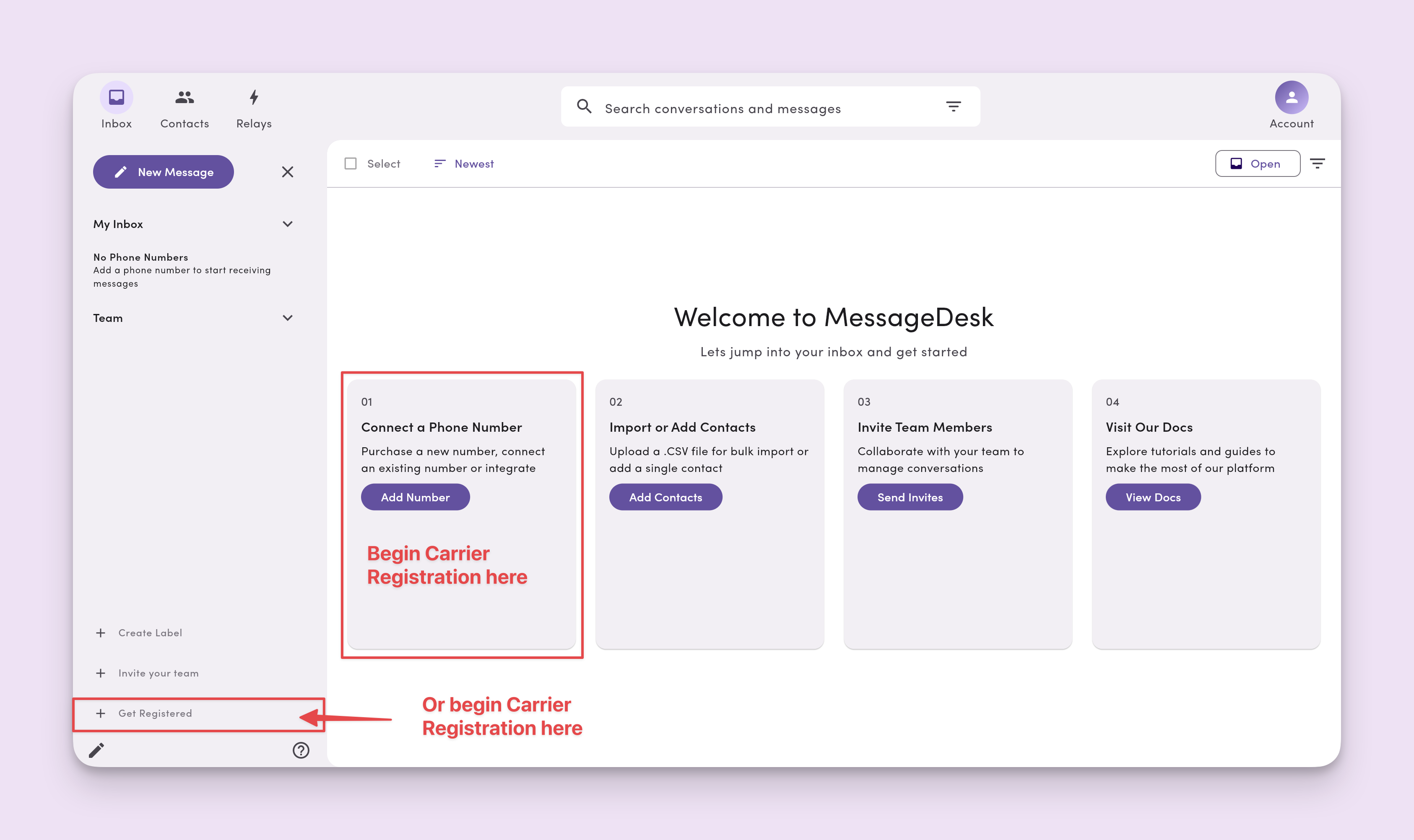
### 1. Start from the Inbox welcome screen
Click "Add number" or "Get Registered" in the bottom left corner of the Inbox.
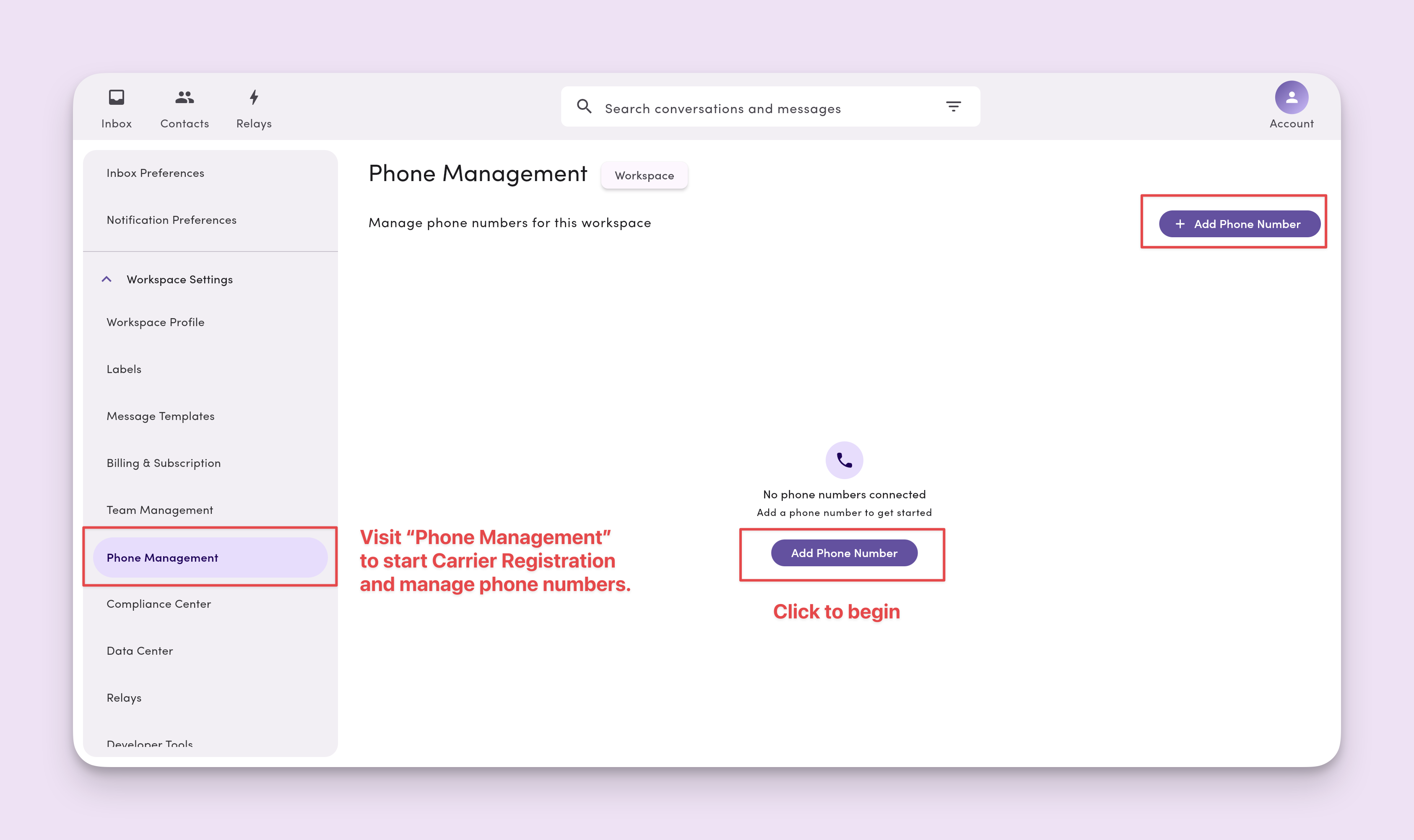
 ### 2. (Alternative) click on Account -> Settings
Navigate to **Phone Management → click "Add Phone Number" to begin**.
### 2. (Alternative) click on Account -> Settings
Navigate to **Phone Management → click "Add Phone Number" to begin**.
 ### 3. Select your phone number type
You have several options for connecting phone numbers to MessageDesk. The type of phone number you choose to connect dictates your carrier registration pathway and timeline.
### 3. Select your phone number type
You have several options for connecting phone numbers to MessageDesk. The type of phone number you choose to connect dictates your carrier registration pathway and timeline.
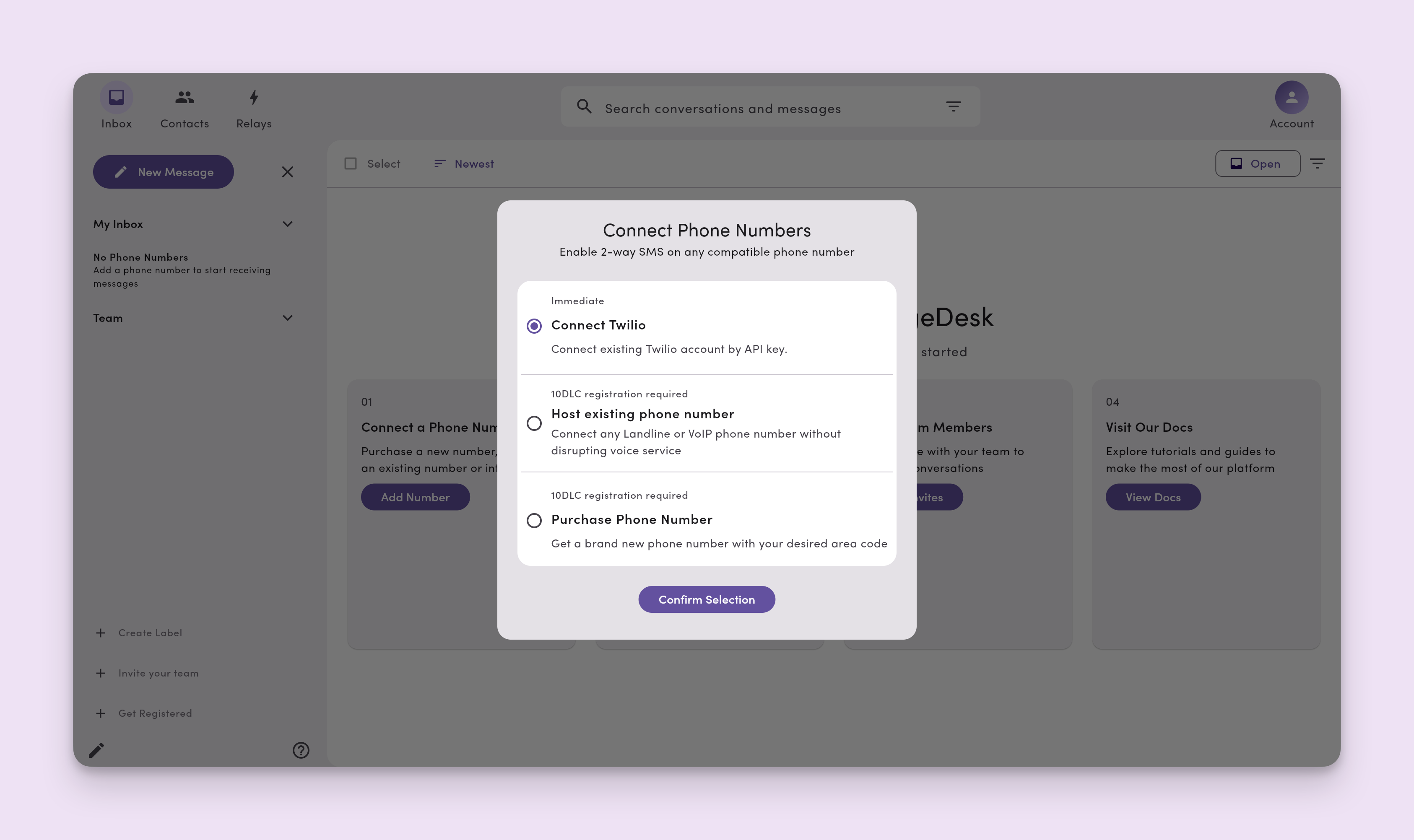 **Option 1. Twilio**
If you're [connecting a Twilio phone number to MessageDesk](/get-started/phone-numbers/twilio), we assume you've completed a carrier registration through Twilio. *You don't need to complete a second carrier registration through MessageDesk.*
Twilio will handle all of the delivery and administration of your text messaging. MessageDesk will only act as the front-end inbox interface that you and your team will use to send and receive Twilio messages.
If you haven't completed carrier registration through Twilio, you can host an existing number or purchase a text-only line through MessageDesk and complete carrier registration through us.
**Option 2. Host existing phone number (landline, VoIP, or business line)**
Select "host existing phone number" if you'd like to bring your existing [business landline numbers and VoIP-connected lines](/get-started/phone-numbers/landline-voip) or [toll-free phone numbers](/get-started/phone-numbers/toll-free) to MessageDesk. MessageDesk works with all business landlines and VoIP providers.
**Note:** MessageDesk doesn't support text-enabling or connecting mobile phone numbers. Learn more about supported phone number types here.
**Option 3. Purchase a "text-only" phone number from MessageDesk**
You're also free to [purchase "text-only" phone numbers](/get-started/phone-numbers/purchase-new) through MessageDesk. We support all North American area codes.
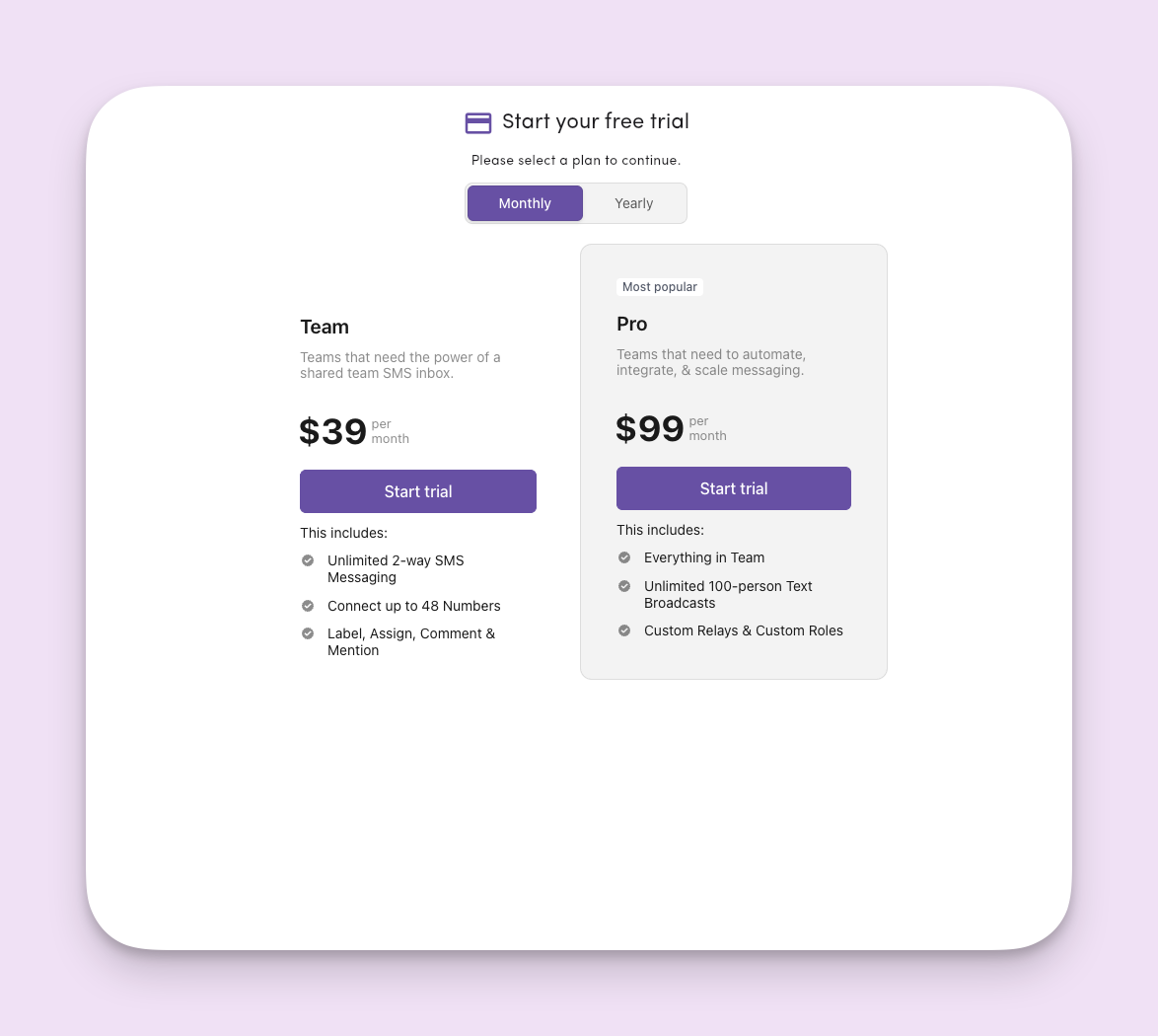
### 3. Start your 14-day free trial
Select a monthly or yearly MessageDesk plan. This is required to begin carrier registration and to start your 14-day free trial.
**Option 1. Twilio**
If you're [connecting a Twilio phone number to MessageDesk](/get-started/phone-numbers/twilio), we assume you've completed a carrier registration through Twilio. *You don't need to complete a second carrier registration through MessageDesk.*
Twilio will handle all of the delivery and administration of your text messaging. MessageDesk will only act as the front-end inbox interface that you and your team will use to send and receive Twilio messages.
If you haven't completed carrier registration through Twilio, you can host an existing number or purchase a text-only line through MessageDesk and complete carrier registration through us.
**Option 2. Host existing phone number (landline, VoIP, or business line)**
Select "host existing phone number" if you'd like to bring your existing [business landline numbers and VoIP-connected lines](/get-started/phone-numbers/landline-voip) or [toll-free phone numbers](/get-started/phone-numbers/toll-free) to MessageDesk. MessageDesk works with all business landlines and VoIP providers.
**Note:** MessageDesk doesn't support text-enabling or connecting mobile phone numbers. Learn more about supported phone number types here.
**Option 3. Purchase a "text-only" phone number from MessageDesk**
You're also free to [purchase "text-only" phone numbers](/get-started/phone-numbers/purchase-new) through MessageDesk. We support all North American area codes.
### 3. Start your 14-day free trial
Select a monthly or yearly MessageDesk plan. This is required to begin carrier registration and to start your 14-day free trial.
 ### 4. Enter your payment details
MessageDesk will then redirect you to a standalone secure payment portal where you can enter your payment details.
### 4. Enter your payment details
MessageDesk will then redirect you to a standalone secure payment portal where you can enter your payment details.
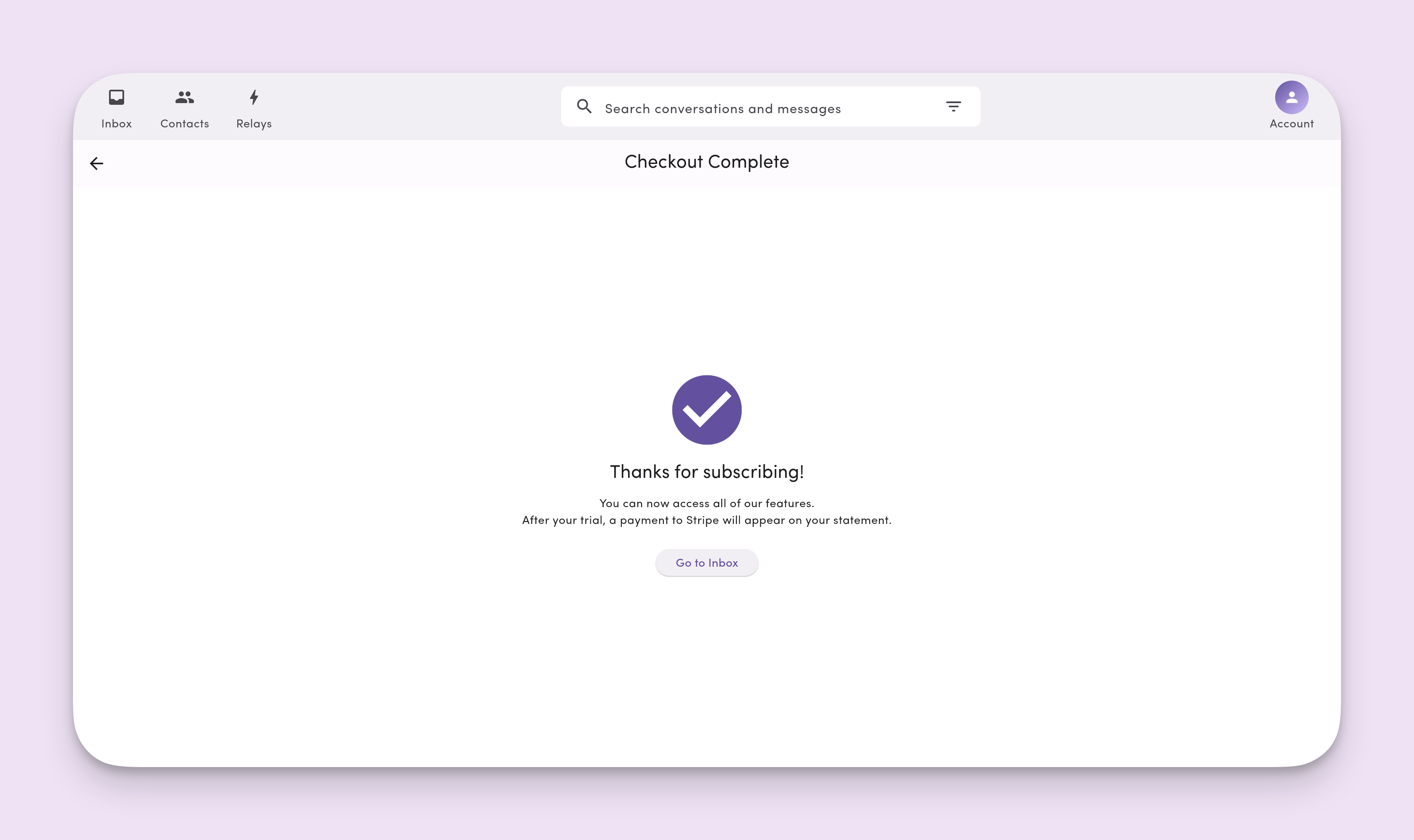
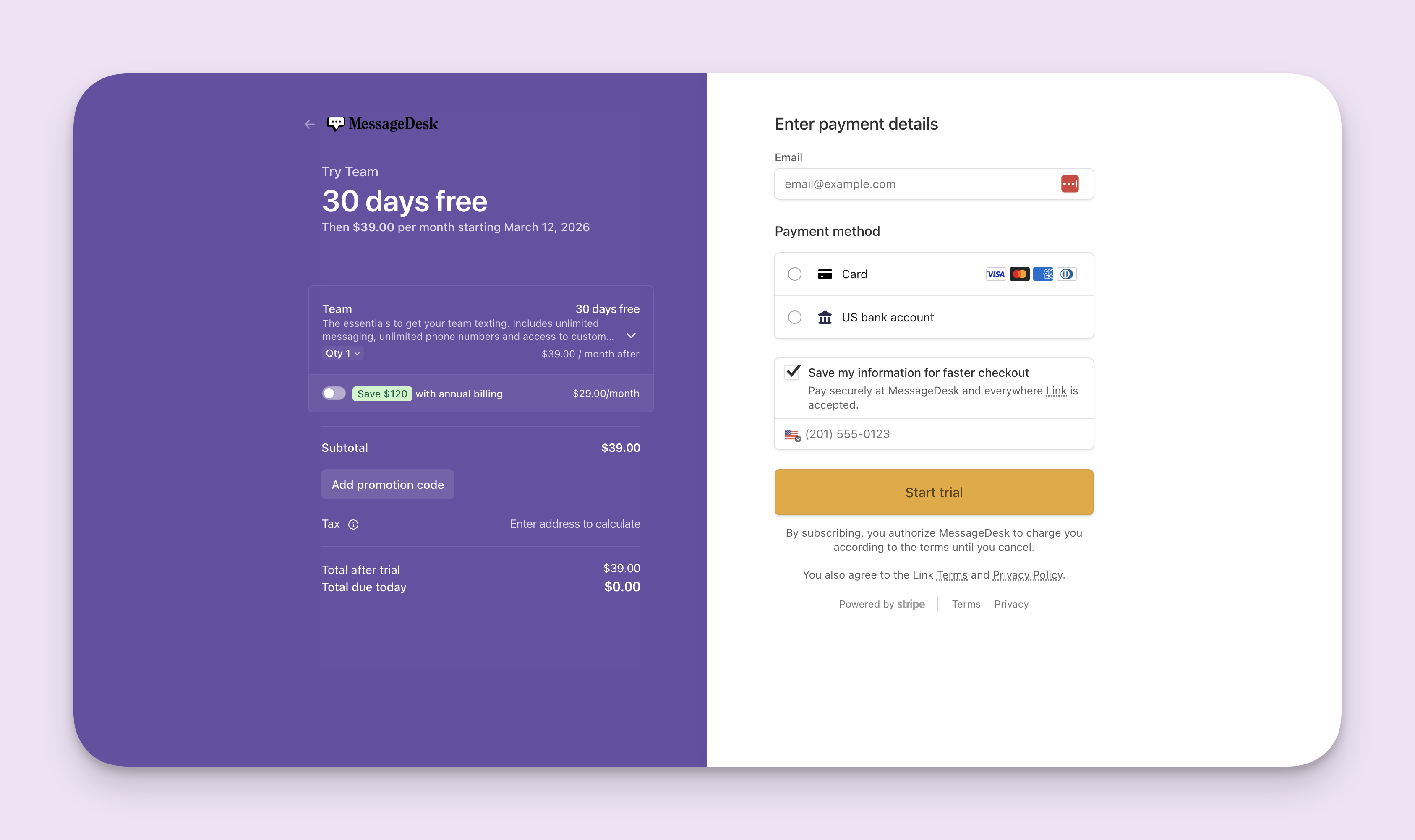 You'll automatically get redirected back to MessageDesk once you successfully select your plan, add a payment method, and create your subscription.
 ### 5. Complete the carrier registration questionnaire
**Option 1.**
Return to the inbox and click "Add Number" to continue with the carrier registration process.
From the welcome page, select your number type. Choosing **Host existing phone number** or **Purchase Phone Number** will redirect you to the Carrier Registration Questionnaire.
**Option 2.**
You can also visit this link to complete your Carrier Registration Questionnaire directly: [https://messagedesk.typeform.com/to/bBBLwZXX](https://messagedesk.typeform.com/to/bBBLwZXX).
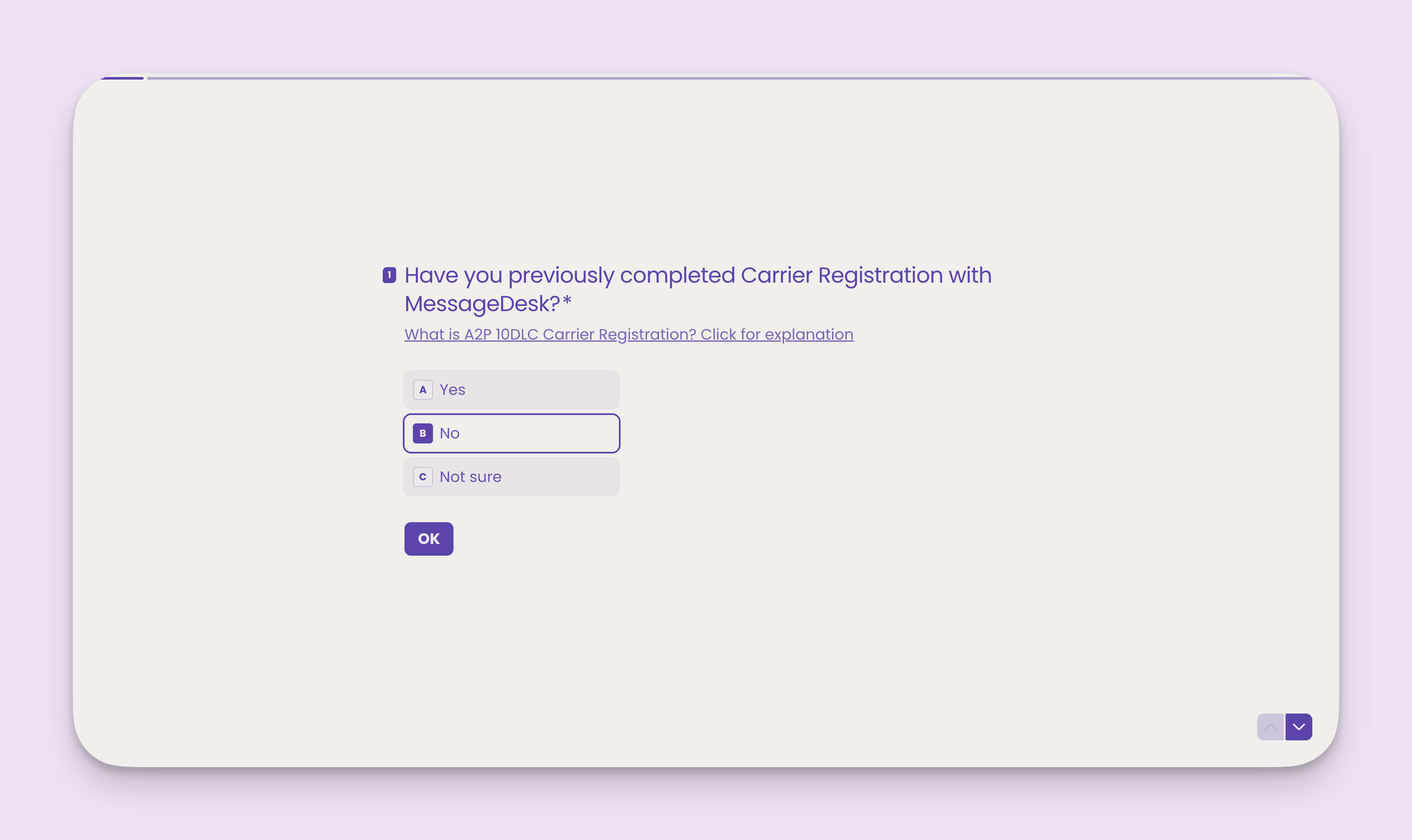
## Part 0: Have you previously completed carrier registration with MessageDesk?
Answer **Yes:** if **you've already completed a carrier registration** through MessageDesk, **AND** you're **connecting additional phone lines to your account**.
Answer **No**: if you have **NOT already completed a carrier registration** through MessageDesk.
Answer **Not sure:** if you're not sure what your carrier registration status is.
### 5. Complete the carrier registration questionnaire
**Option 1.**
Return to the inbox and click "Add Number" to continue with the carrier registration process.
From the welcome page, select your number type. Choosing **Host existing phone number** or **Purchase Phone Number** will redirect you to the Carrier Registration Questionnaire.
**Option 2.**
You can also visit this link to complete your Carrier Registration Questionnaire directly: [https://messagedesk.typeform.com/to/bBBLwZXX](https://messagedesk.typeform.com/to/bBBLwZXX).
## Part 0: Have you previously completed carrier registration with MessageDesk?
Answer **Yes:** if **you've already completed a carrier registration** through MessageDesk, **AND** you're **connecting additional phone lines to your account**.
Answer **No**: if you have **NOT already completed a carrier registration** through MessageDesk.
Answer **Not sure:** if you're not sure what your carrier registration status is.
 ## Part 1 of 3: Enter your business or organization information
The first step tells us who you are and what your organization does.
**What you'll need before you continue:**
1. **IRS Form W-9** or **Canadian BN document**
2. **Website** or **social media profile link**
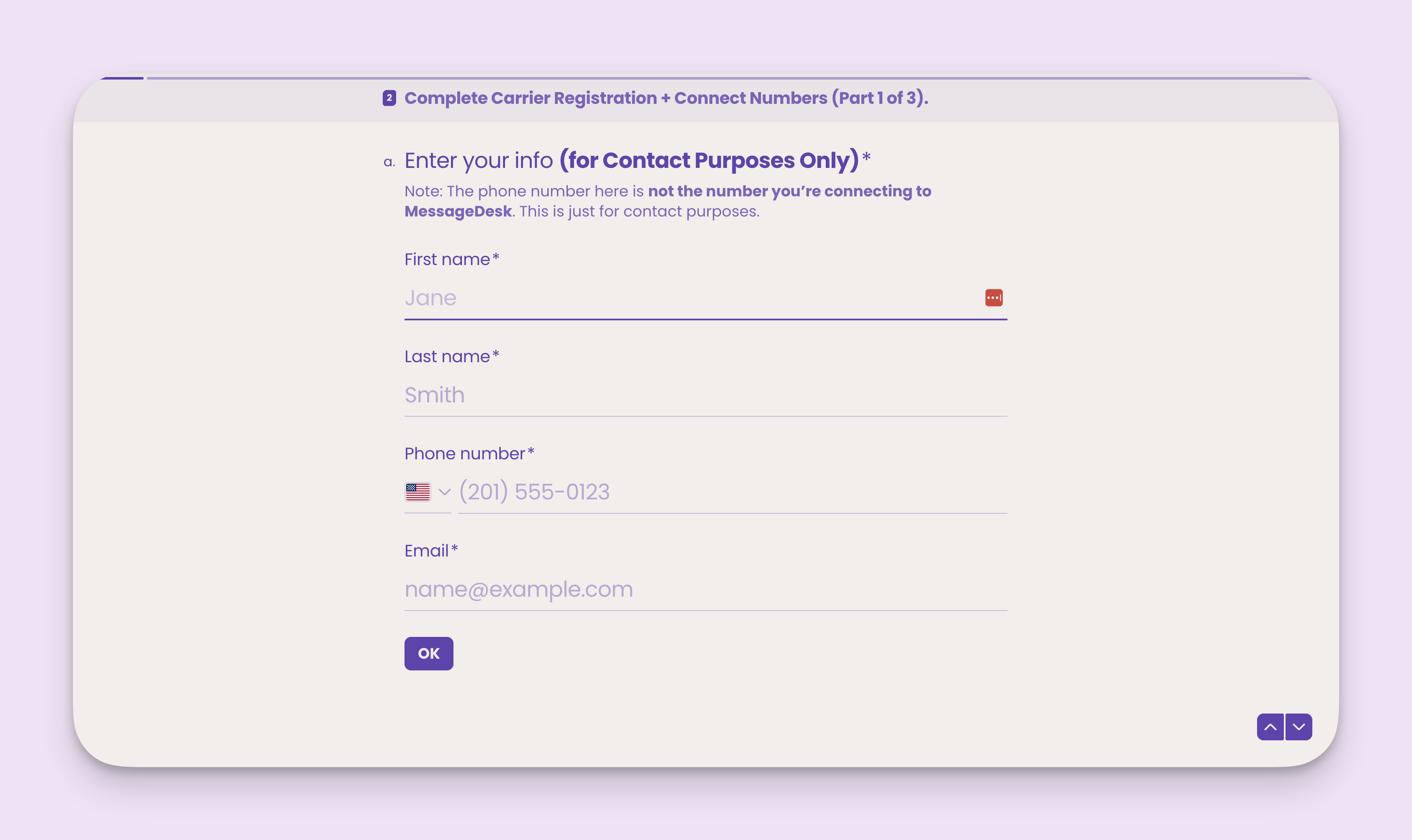
### **Enter your contact information**
Enter your **first name**, **last name**, **mobile phone number**, and **email address**.
**Note:** this information is for contact purposes **ONLY**. The phone number you input here is **not the phone number you’re connecting to MessageDesk**.
## Part 1 of 3: Enter your business or organization information
The first step tells us who you are and what your organization does.
**What you'll need before you continue:**
1. **IRS Form W-9** or **Canadian BN document**
2. **Website** or **social media profile link**
### **Enter your contact information**
Enter your **first name**, **last name**, **mobile phone number**, and **email address**.
**Note:** this information is for contact purposes **ONLY**. The phone number you input here is **not the phone number you’re connecting to MessageDesk**.
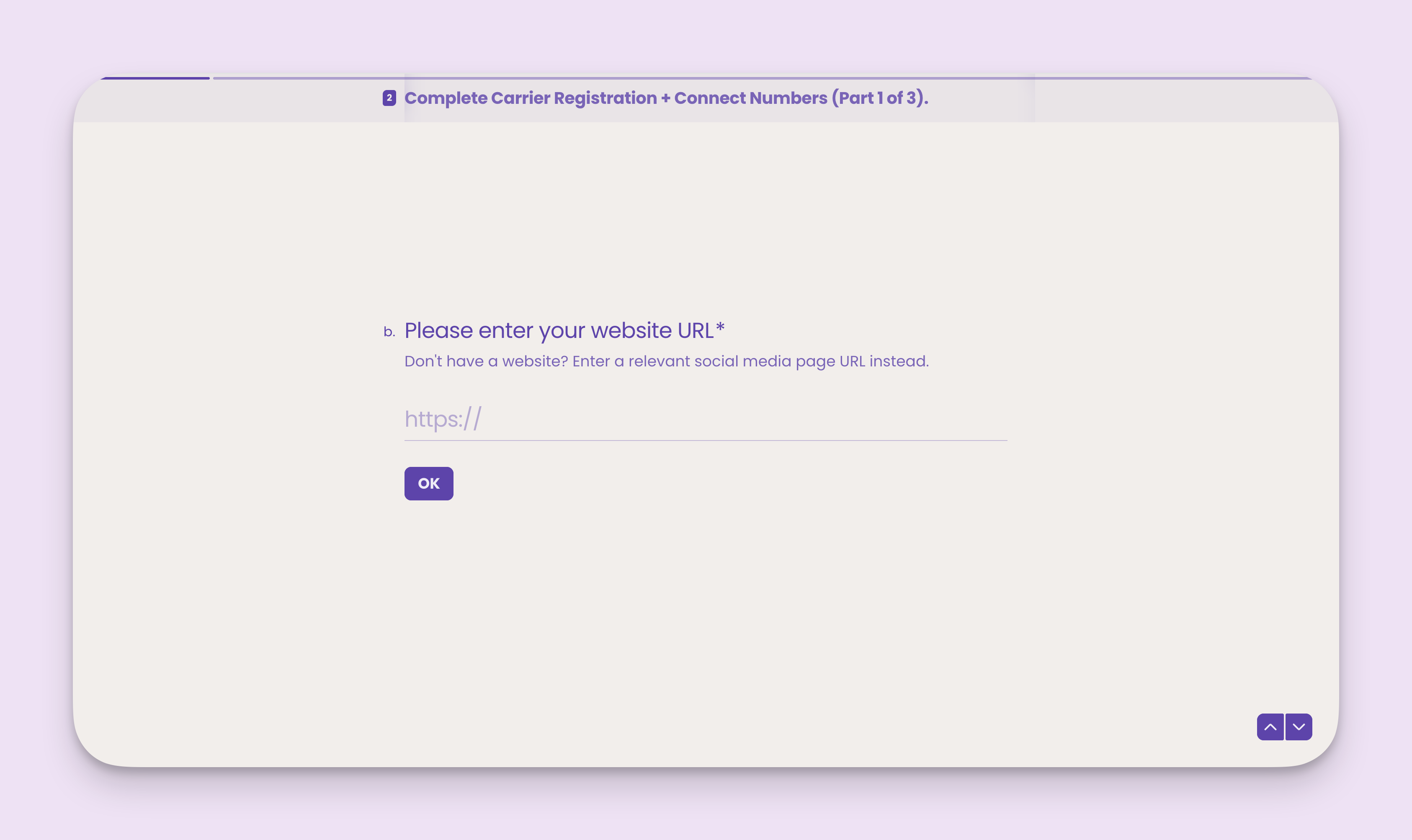
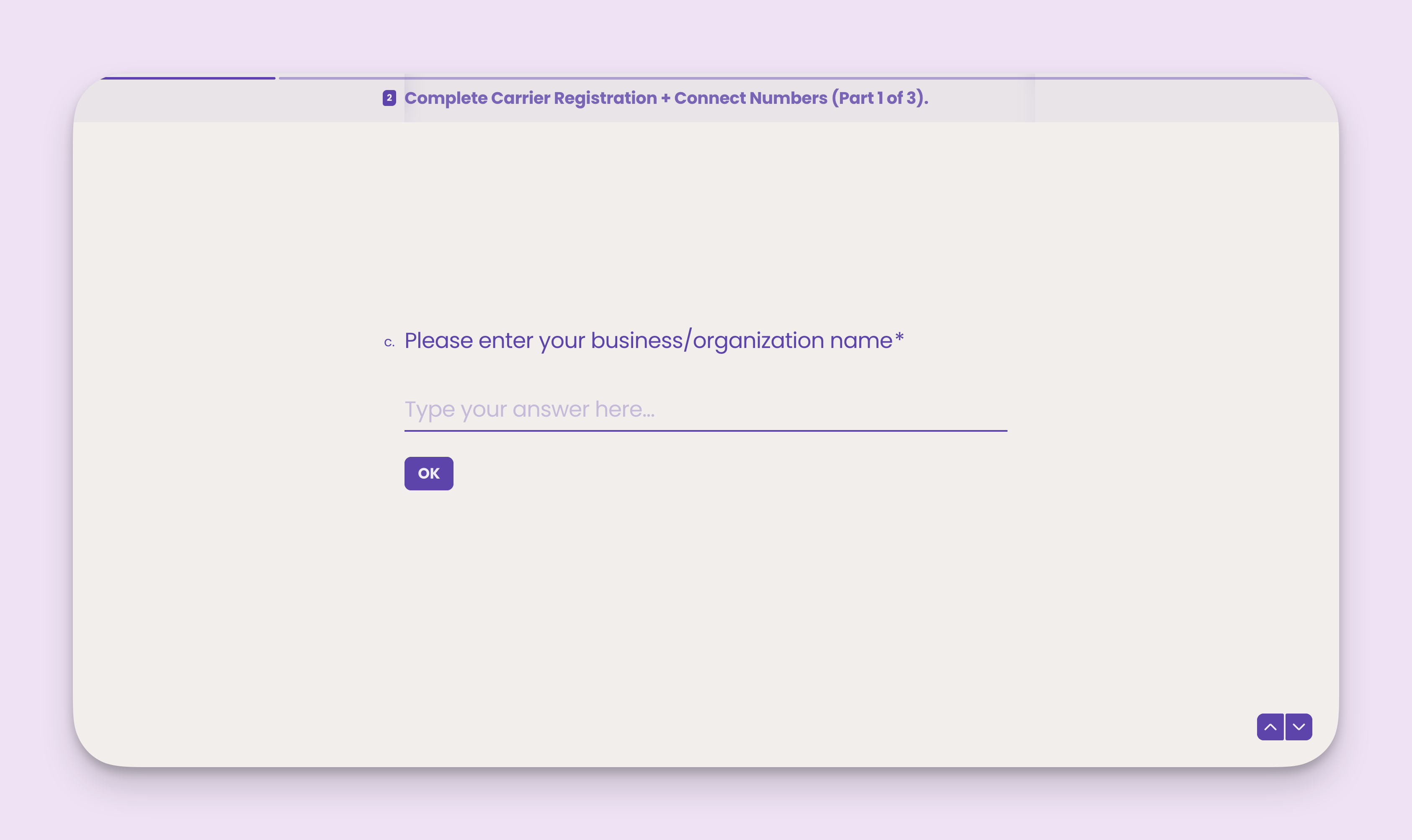
 ### Enter your website URL and business/organization name
**Note:** If you don't have a website, enter a link to a relevant social media page URL instead.
### Enter your website URL and business/organization name
**Note:** If you don't have a website, enter a link to a relevant social media page URL instead.
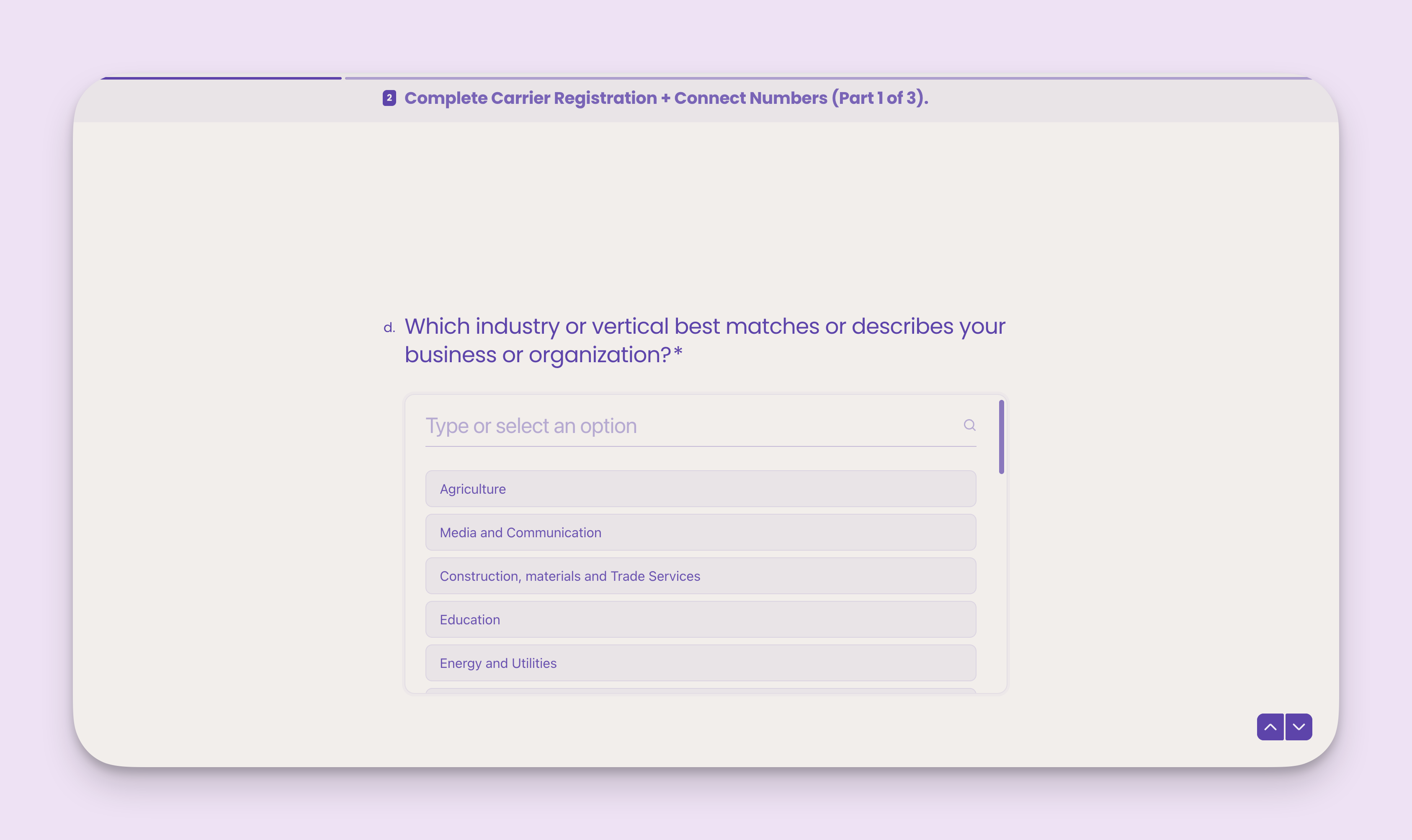
 ### Select your industry or vertical
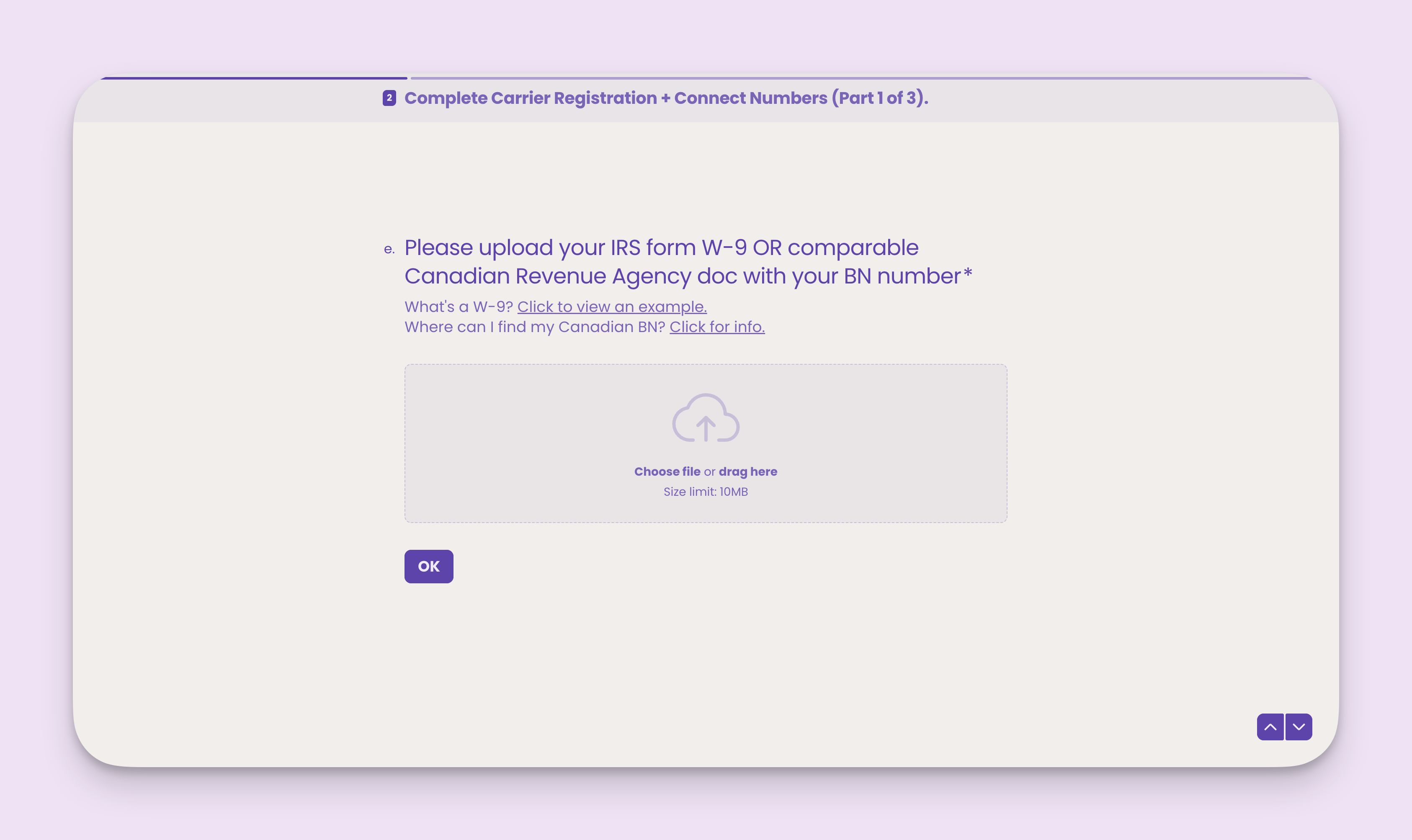
 ### Upload your IRS Form W-9 or CRA doc with BN number
**Note:** We require tax documents to verify your organization's identity.
What's a W-9? [Click to view an example.](https://www.irs.gov/pub/irs-pdf/fw9.pdf)\
Where can I find my Canadian BN? [Click for info.](https://www.canada.ca/en/services/taxes/business-number.html)
### Upload your IRS Form W-9 or CRA doc with BN number
**Note:** We require tax documents to verify your organization's identity.
What's a W-9? [Click to view an example.](https://www.irs.gov/pub/irs-pdf/fw9.pdf)\
Where can I find my Canadian BN? [Click for info.](https://www.canada.ca/en/services/taxes/business-number.html)
 ## Part 2 of 3: SMS opt-in and privacy policy check
The second part of the carrier registration process helps us establish your current SMS opt-in policies, methods, and documentation in your privacy policy.
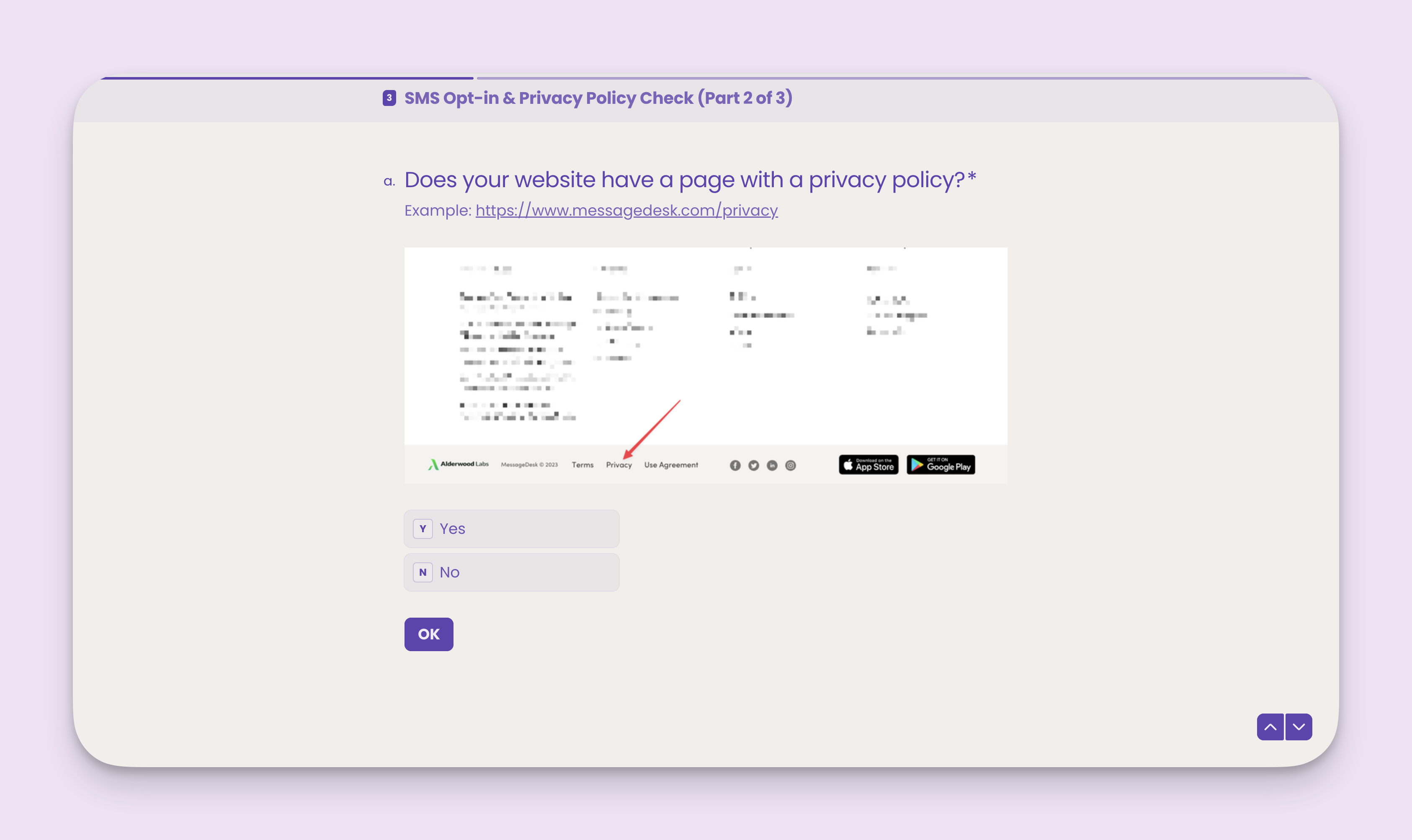
### Question 1: Does your website have a privacy policy?
A privacy policy is a document (usually published in a website's footer) that explains, among many things, how your organization collects and uses data and information.
How you collect and use contact information is especially important for carrier registration.
Here's an example privacy policy from the MessageDesk website: [https://www.messagedesk.com/privacy](https://www.messagedesk.com/privacy)
Select **Yes**, if your organization publishes a privacy policy.
Select **No**, if your organization doesn't publish a privacy policy or if you're not sure.
## Part 2 of 3: SMS opt-in and privacy policy check
The second part of the carrier registration process helps us establish your current SMS opt-in policies, methods, and documentation in your privacy policy.
### Question 1: Does your website have a privacy policy?
A privacy policy is a document (usually published in a website's footer) that explains, among many things, how your organization collects and uses data and information.
How you collect and use contact information is especially important for carrier registration.
Here's an example privacy policy from the MessageDesk website: [https://www.messagedesk.com/privacy](https://www.messagedesk.com/privacy)
Select **Yes**, if your organization publishes a privacy policy.
Select **No**, if your organization doesn't publish a privacy policy or if you're not sure.
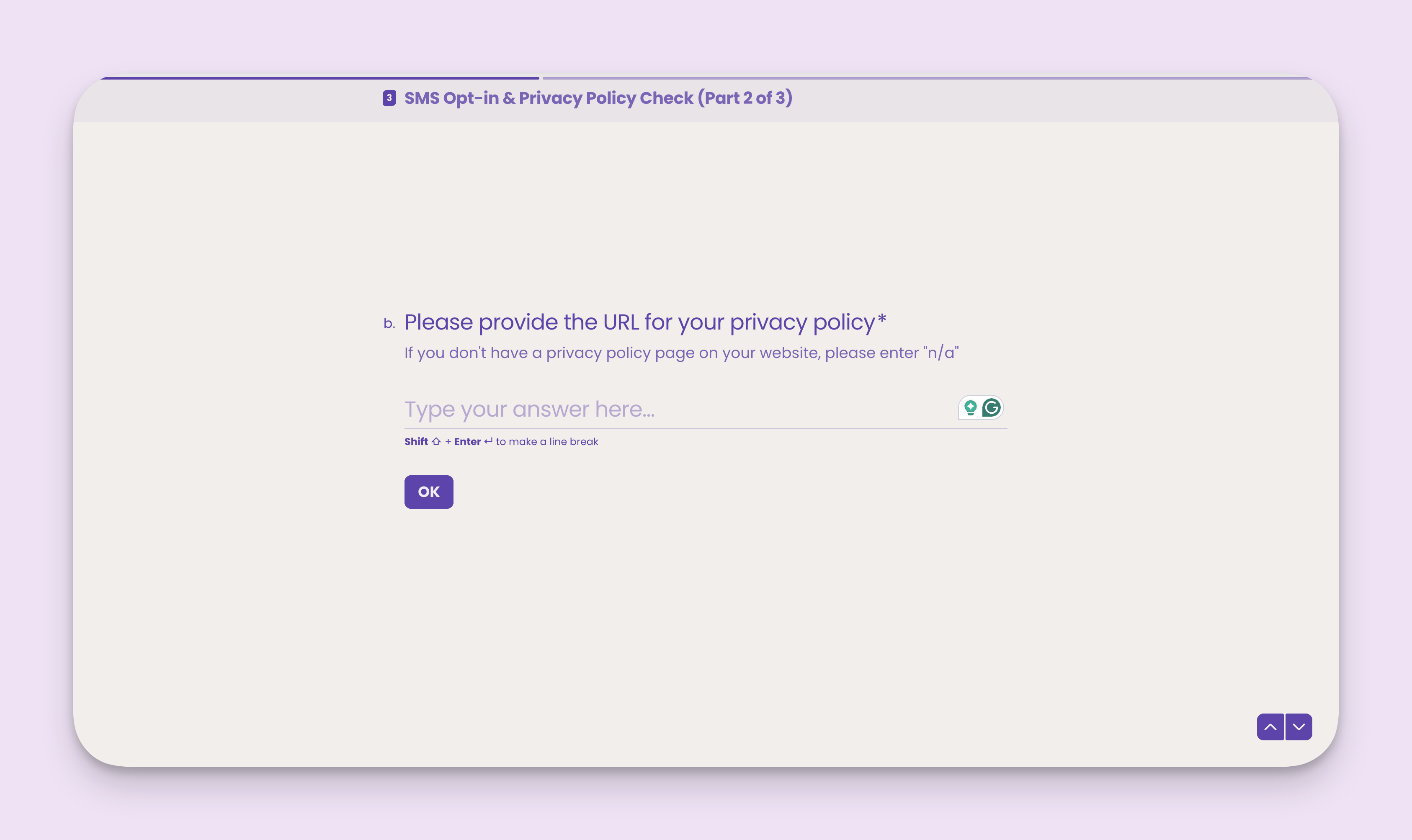
 Once you select yes, please provide the URL of your published privacy policy.
 ### Question 2: Do you use forms on your website to collect phone numbers and other details from contacts?
How you collect contact information and data is equally important to how you use it.
Select **Yes**, if your website has publicly accessible web forms that collect contact information, including phone numbers.
Select **No**, if your website doesn't publish web forms that collect contact information, or if you collect contact information in other ways, like paper forms or by phone.
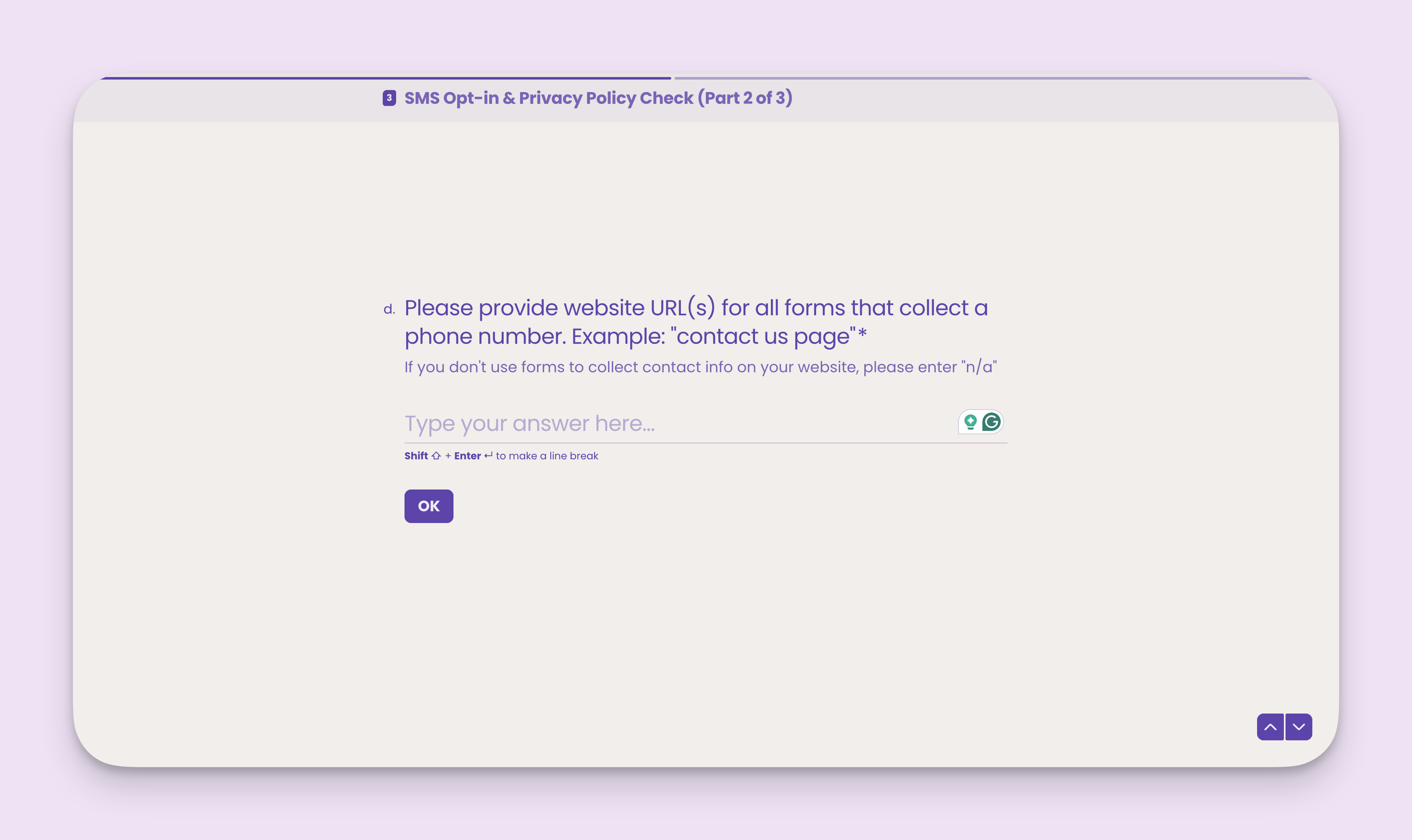
Once you select yes, please provide website URL(s) for all forms that collect a phone number. Example: "contact us page". If you don't use forms to collect contact info on your website, please enter "n/a".
### Question 2: Do you use forms on your website to collect phone numbers and other details from contacts?
How you collect contact information and data is equally important to how you use it.
Select **Yes**, if your website has publicly accessible web forms that collect contact information, including phone numbers.
Select **No**, if your website doesn't publish web forms that collect contact information, or if you collect contact information in other ways, like paper forms or by phone.
Once you select yes, please provide website URL(s) for all forms that collect a phone number. Example: "contact us page". If you don't use forms to collect contact info on your website, please enter "n/a".
 ## Part 3 of 3: **How you use SMS text messaging**
This section of the carrier registration form helps us establish your messaging volume, the types of messages you intend to send/receive, and your overall messaging use case.
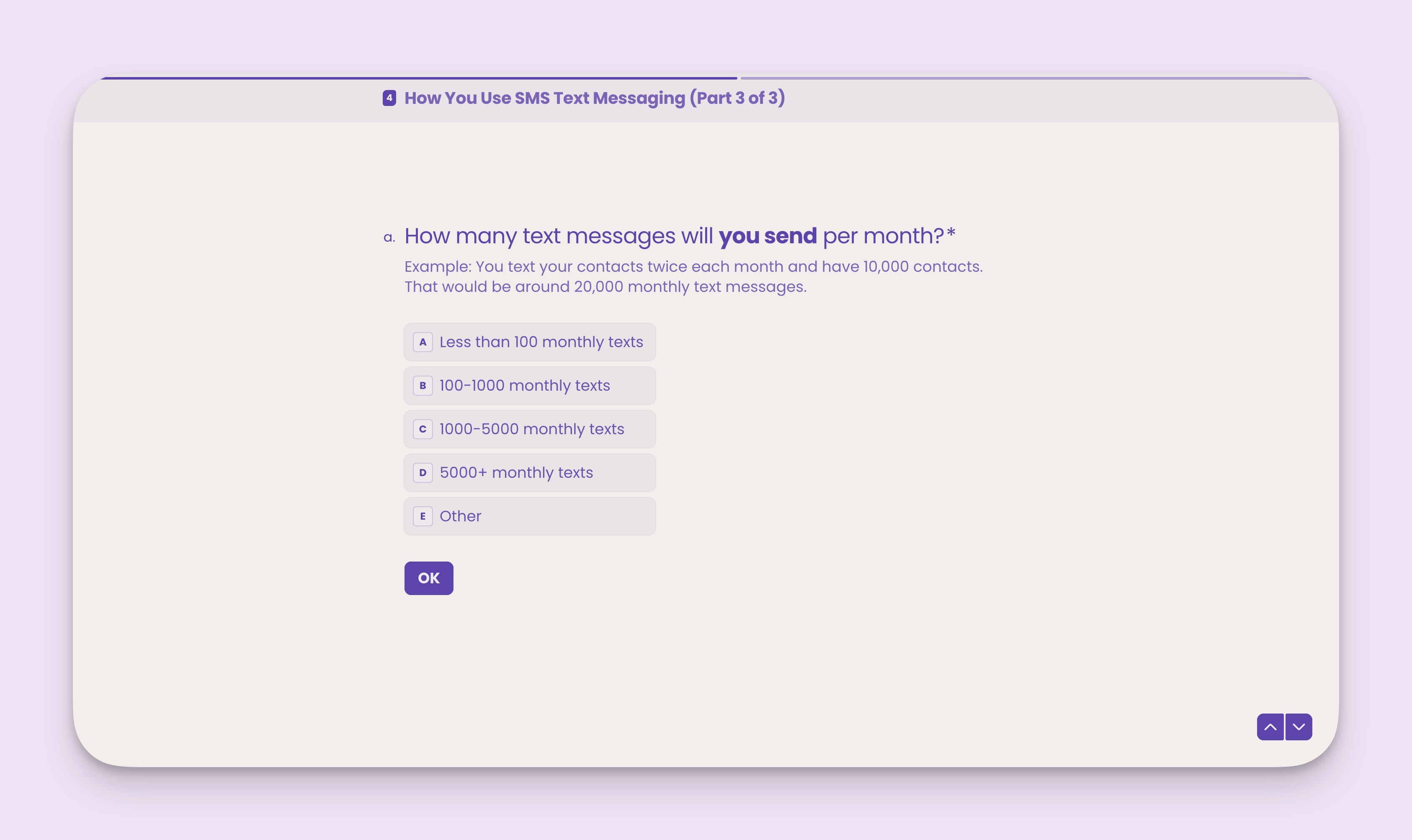
### Question 1: How many text messages will you send per month?
Example: You text your contacts twice each month and have 10,000 contacts. That would be around 20,000 monthly text messages.
## Part 3 of 3: **How you use SMS text messaging**
This section of the carrier registration form helps us establish your messaging volume, the types of messages you intend to send/receive, and your overall messaging use case.
### Question 1: How many text messages will you send per month?
Example: You text your contacts twice each month and have 10,000 contacts. That would be around 20,000 monthly text messages.
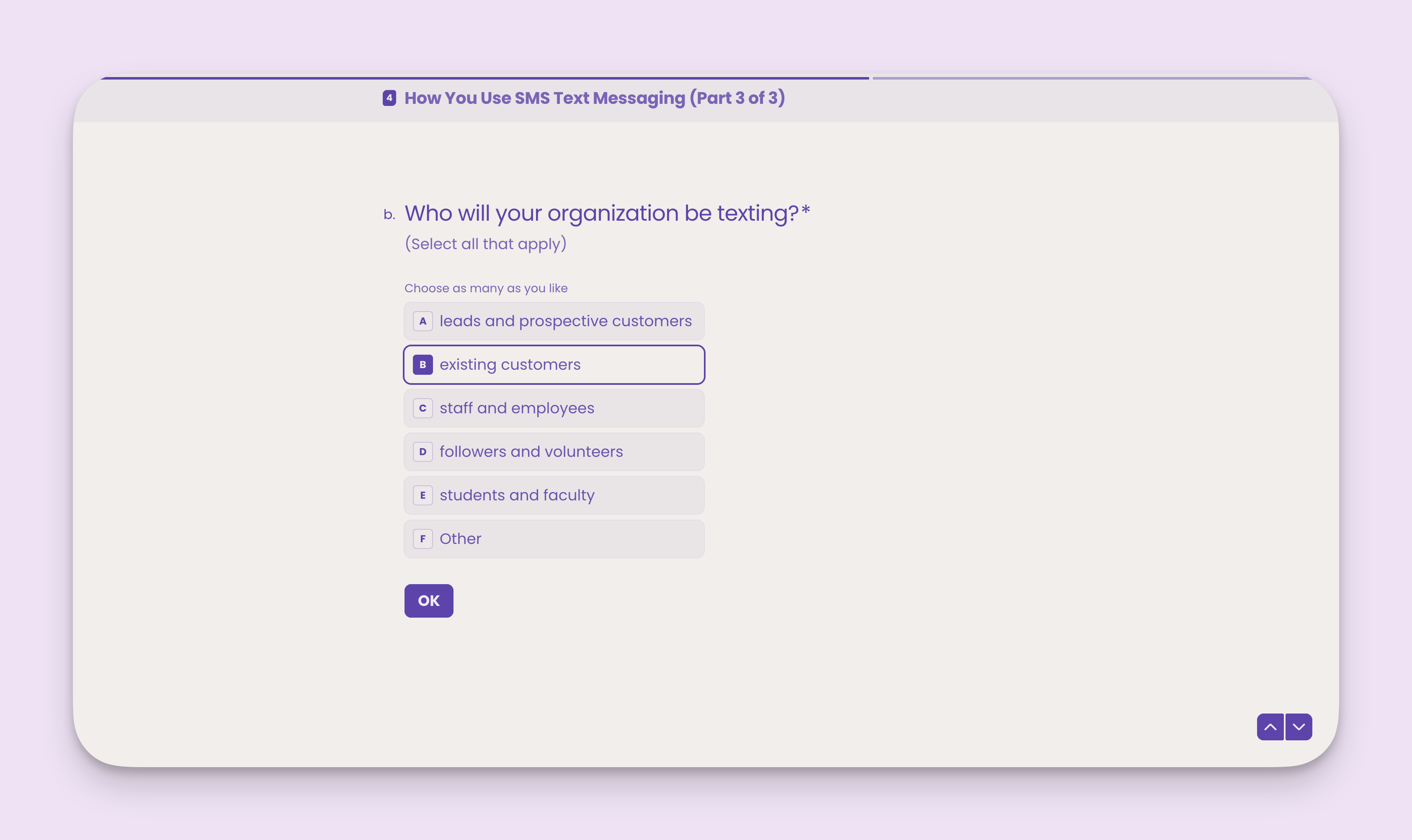
 ### Question 2: Who will your organization be texting?
Selecting the types of people you'll receive and send messages to helps us establish your messaging use case with the carriers.
**Note:** Be sure to select all that apply.
### Question 2: Who will your organization be texting?
Selecting the types of people you'll receive and send messages to helps us establish your messaging use case with the carriers.
**Note:** Be sure to select all that apply.
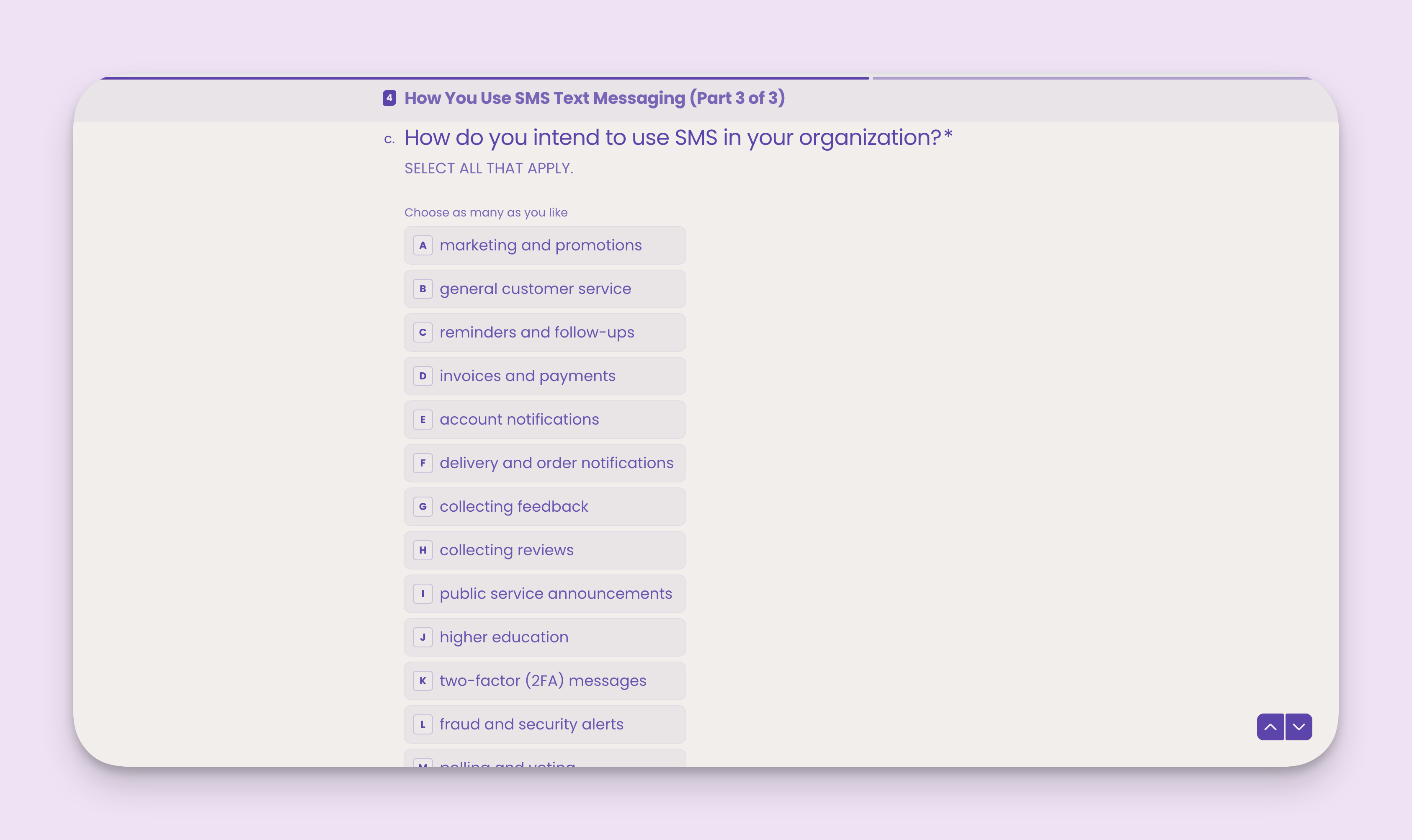
 ### Question 3: How do you intend to use SMS in your organization?
Selecting how you intend to use text messaging (i.e., the purpose of your messages) helps us further establish your messaging use case with the carriers.
**Note:** Be sure to select all that apply.
### Question 3: How do you intend to use SMS in your organization?
Selecting how you intend to use text messaging (i.e., the purpose of your messages) helps us further establish your messaging use case with the carriers.
**Note:** Be sure to select all that apply.
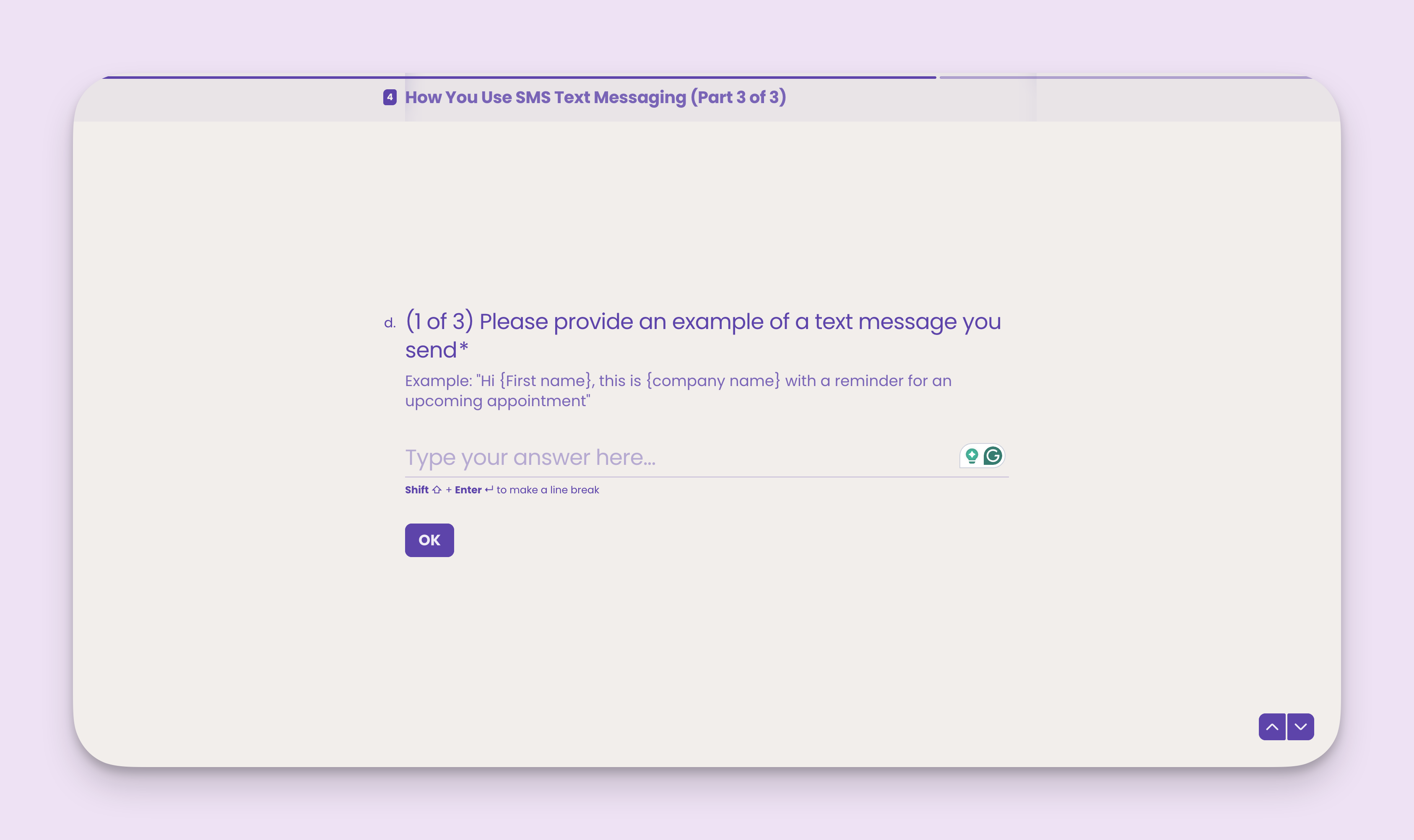
 ### Question 4: (1 of 3) Please provide an example of a text message you send.
Carriers require us to submit examples of the types of messages you intend to send. They ask this to help verify your messaging use case and intent.
**Note:** Your example text messages MUST match how you actually intend to use SMS.
**Example**: If you marked that you'll send SMS for appointment reminders, your example messages must include at least one appointment reminder text message.
### Question 4: (1 of 3) Please provide an example of a text message you send.
Carriers require us to submit examples of the types of messages you intend to send. They ask this to help verify your messaging use case and intent.
**Note:** Your example text messages MUST match how you actually intend to use SMS.
**Example**: If you marked that you'll send SMS for appointment reminders, your example messages must include at least one appointment reminder text message.
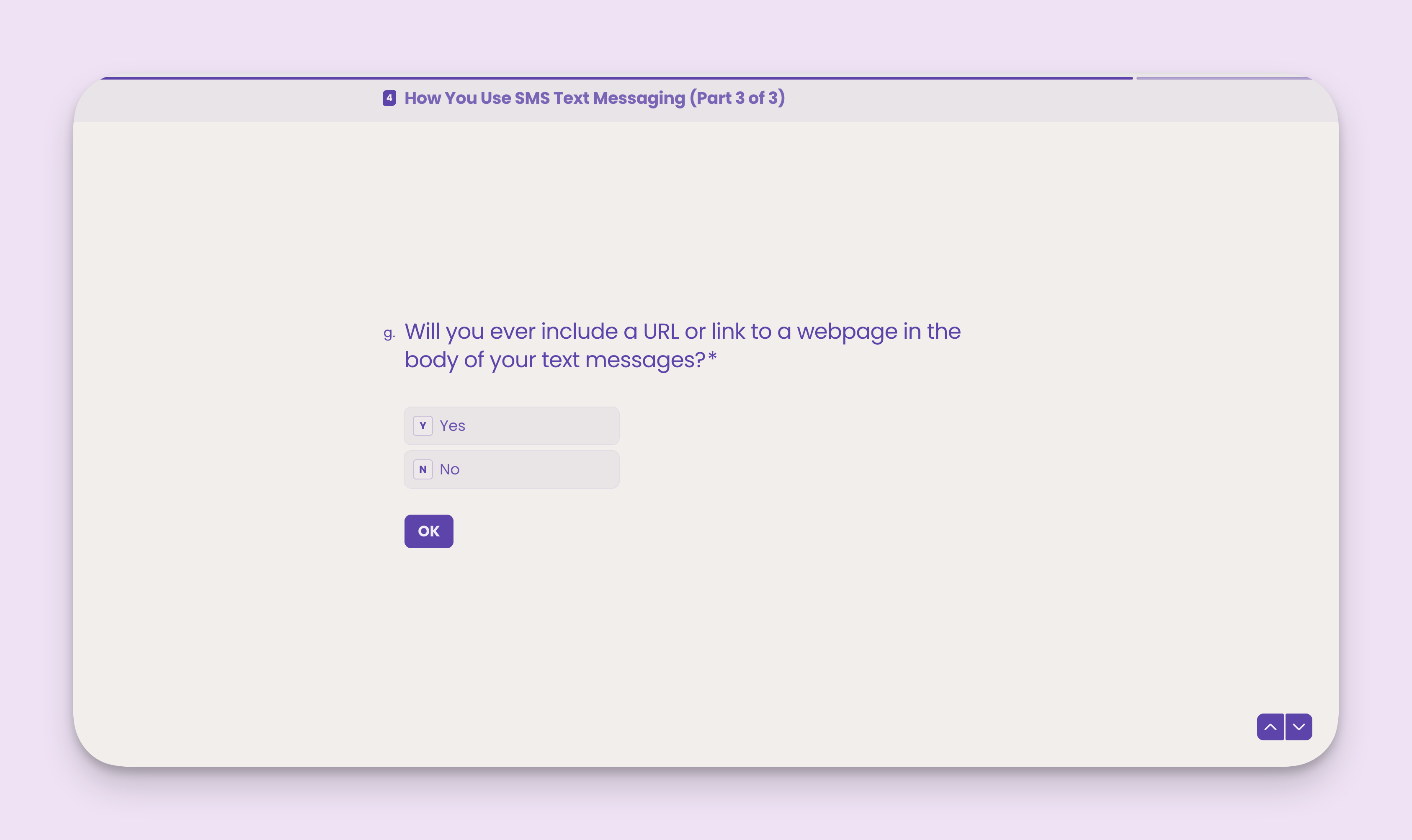
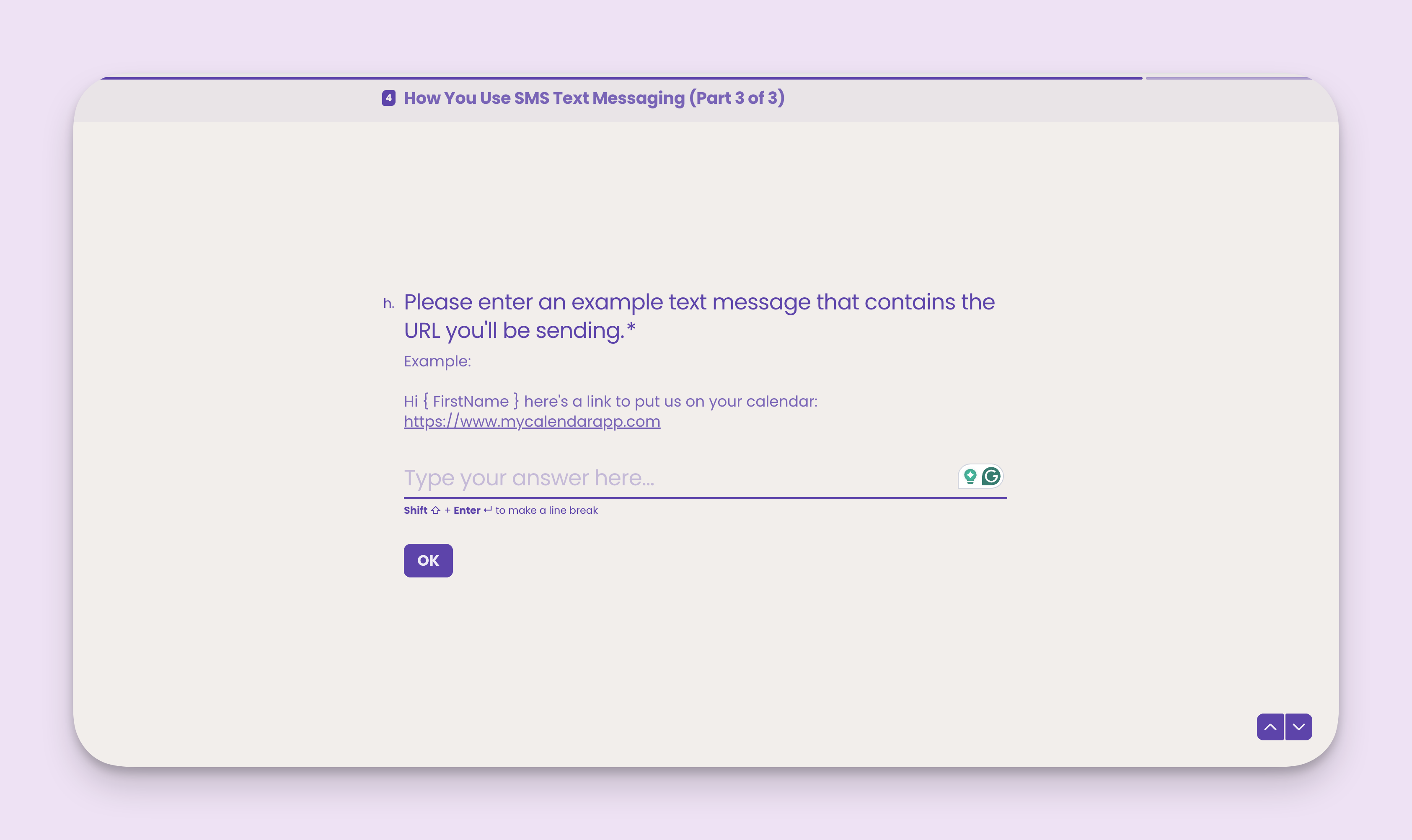
 ### Question 5: Will you ever include a URL or link to a webpage in the body of your text messages?
This question is important because it affects how we register your campaign with carriers. If you send links in your text messages but don't mark yes, your messages may fail to deliver.
**Note:** For the best possible delivery, we highly suggest you **select Yes** to this question and provide an example text message that includes a link.
### Question 5: Will you ever include a URL or link to a webpage in the body of your text messages?
This question is important because it affects how we register your campaign with carriers. If you send links in your text messages but don't mark yes, your messages may fail to deliver.
**Note:** For the best possible delivery, we highly suggest you **select Yes** to this question and provide an example text message that includes a link.
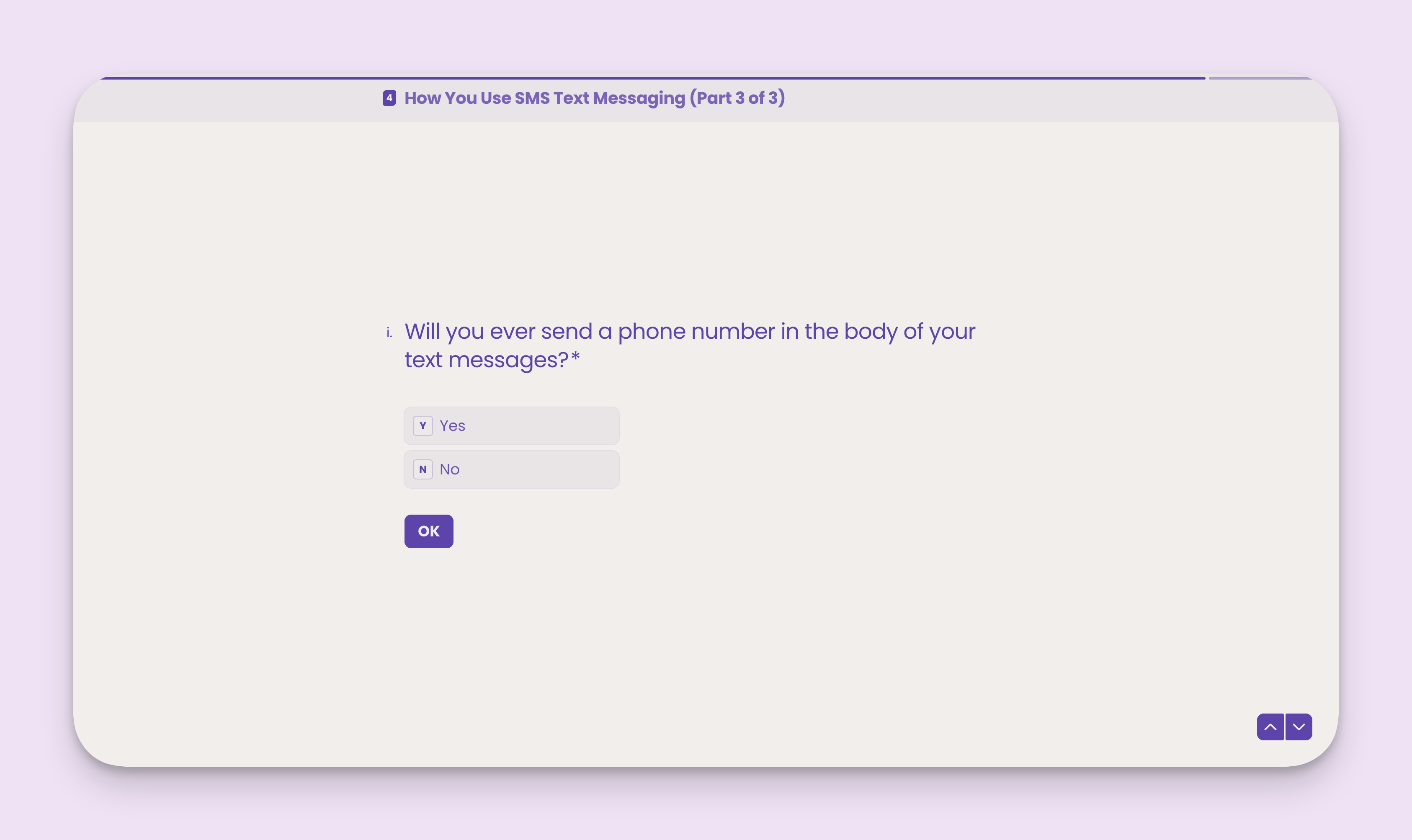
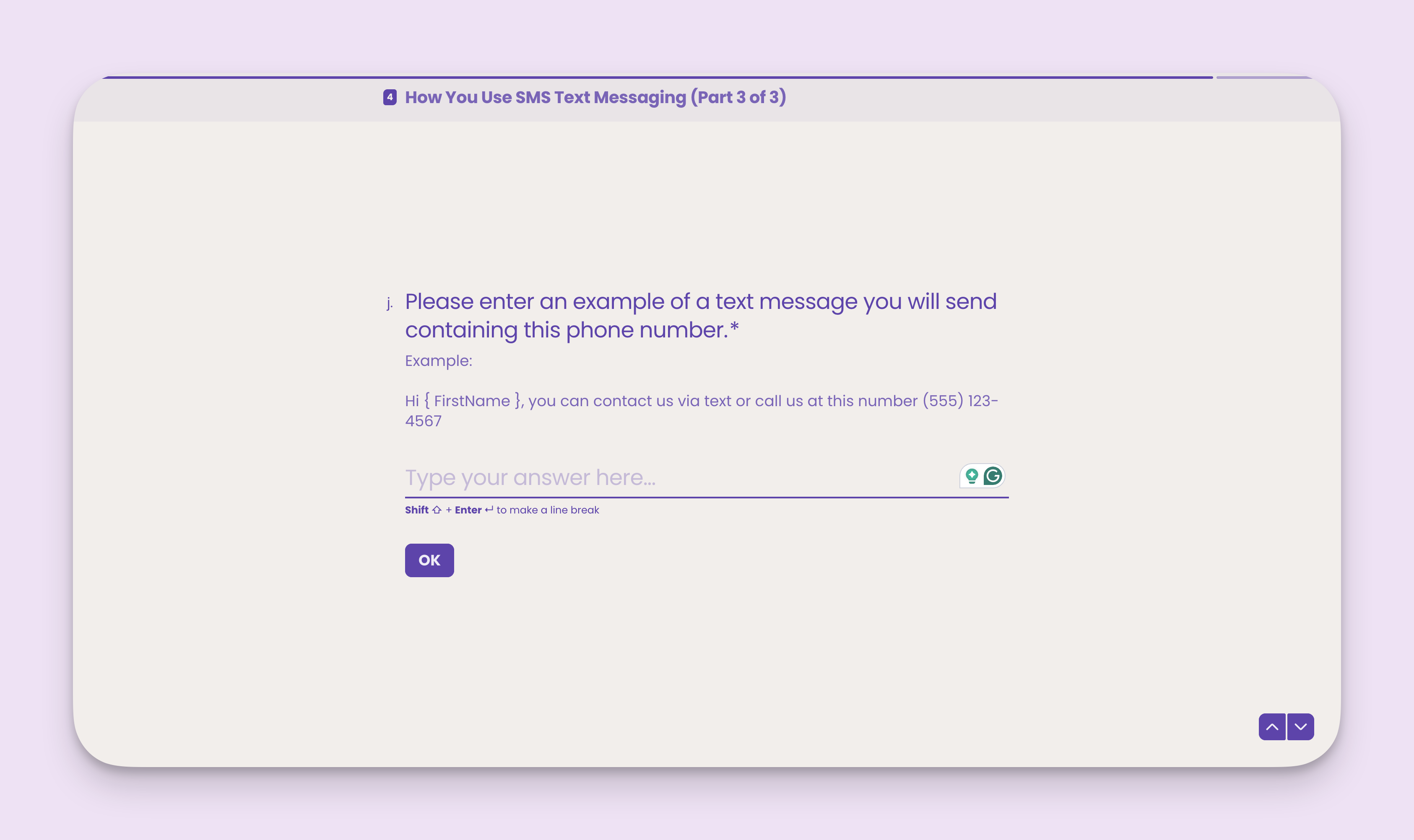
 ### Question 6: Will you ever send a phone number in the body of your text messages?
This question is also important because it affects how we register your campaign with carriers. If you include phone numbers in your text messages but don't mark yes, your messages may fail to deliver.
**Note:** For the best possible delivery, we highly suggest you **select Yes** to this question and provide an example text message that includes a phone number.
### Question 6: Will you ever send a phone number in the body of your text messages?
This question is also important because it affects how we register your campaign with carriers. If you include phone numbers in your text messages but don't mark yes, your messages may fail to deliver.
**Note:** For the best possible delivery, we highly suggest you **select Yes** to this question and provide an example text message that includes a phone number.
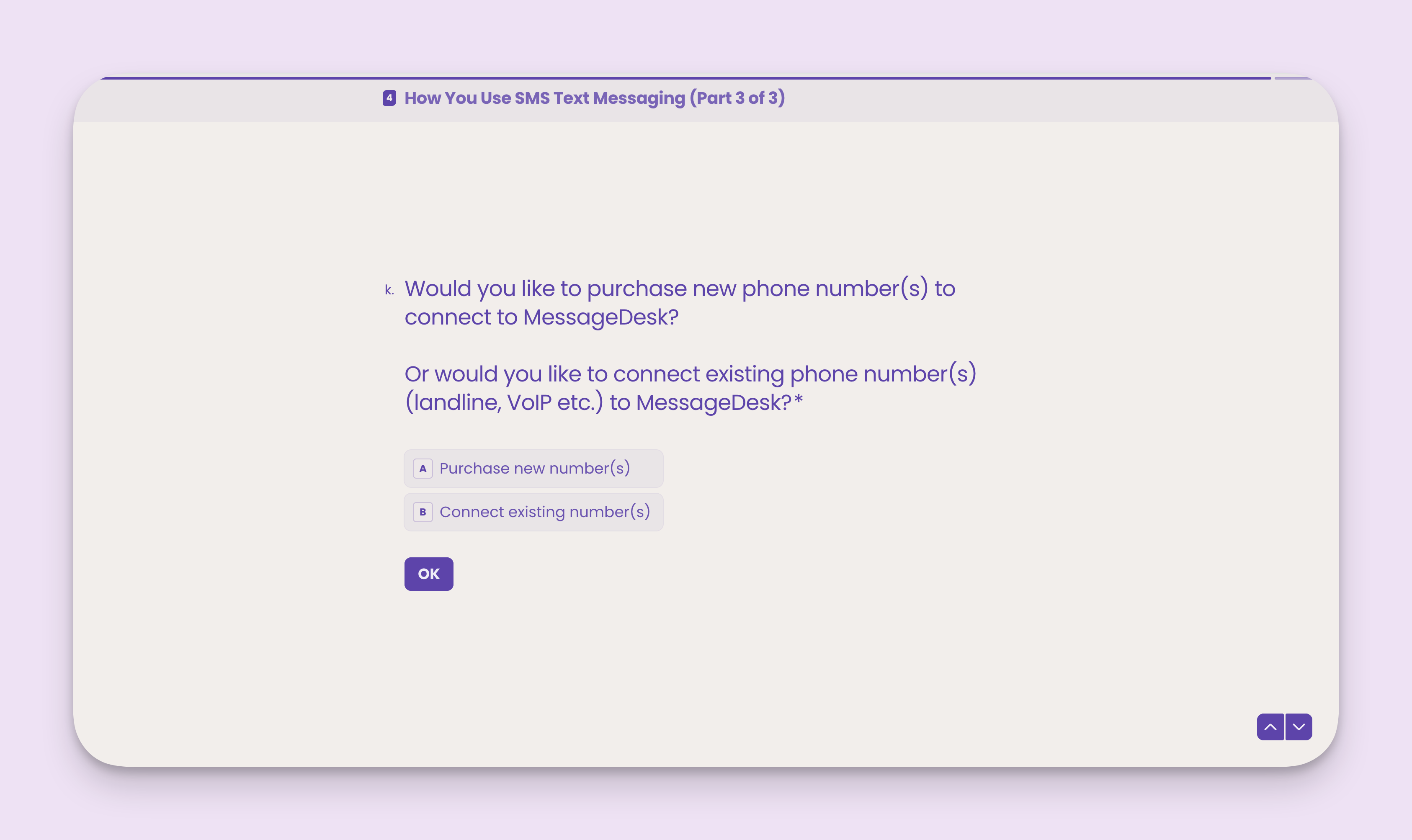
 ## Carrier registration phone number options
For all A2P 10DLC carrier registrations, you have two phone number options:
1. Purchase a new text-only phone number from MessageDesk.
2. Host an existing landline, VoIP, or non-mobile business phone line.
**Note:** these options exclude toll-free carrier registration, which has its own approval process.
**Note:** Your answers in the section of the carrier registration questionnaire are for **internal informational purposes only**. You'll complete phone line configuration separately once your carrier registration is approved.
## Carrier registration phone number options
For all A2P 10DLC carrier registrations, you have two phone number options:
1. Purchase a new text-only phone number from MessageDesk.
2. Host an existing landline, VoIP, or non-mobile business phone line.
**Note:** these options exclude toll-free carrier registration, which has its own approval process.
**Note:** Your answers in the section of the carrier registration questionnaire are for **internal informational purposes only**. You'll complete phone line configuration separately once your carrier registration is approved.
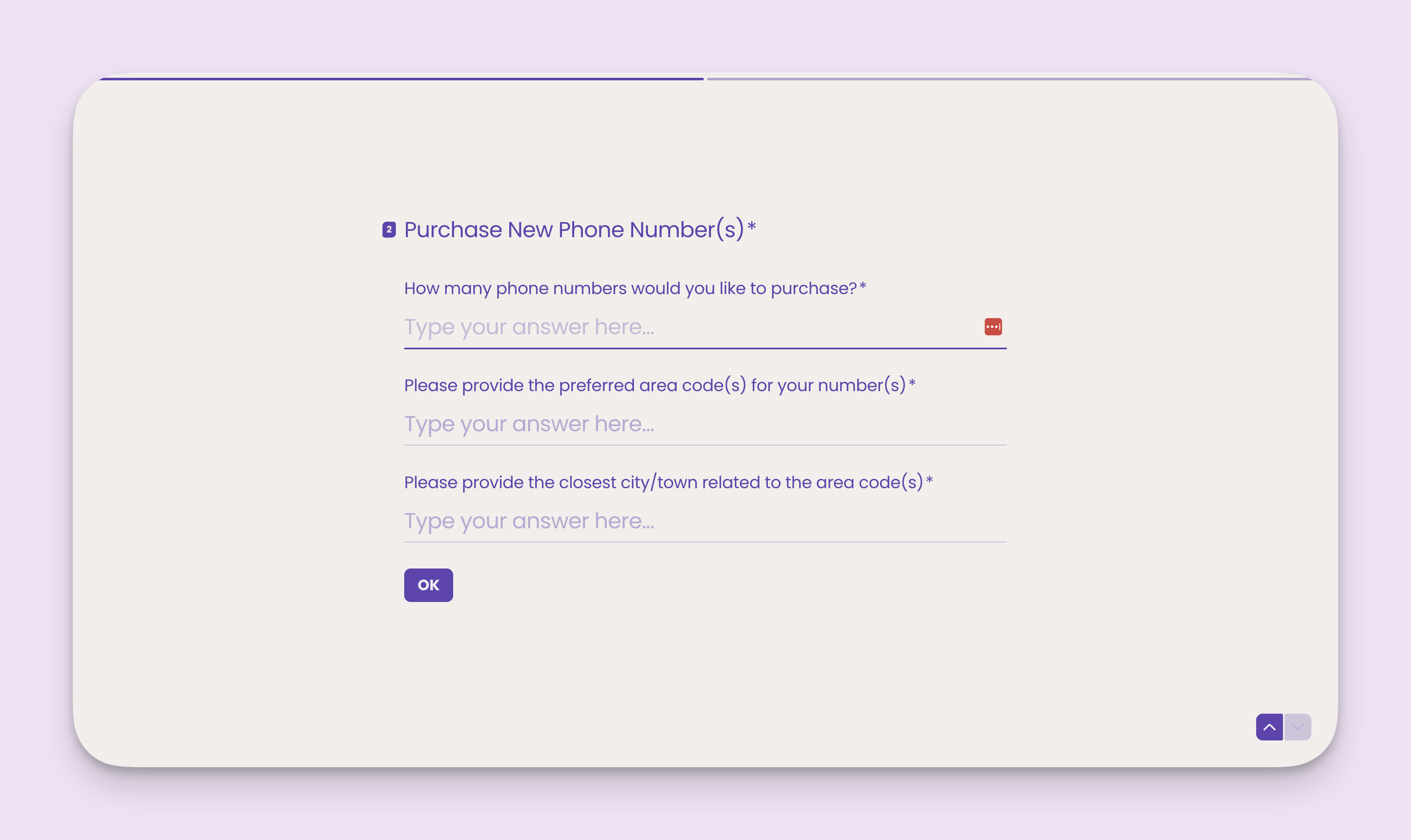
 ### Purchase a new phone number
You can purchase text-only 10-digit North American phone numbers with any area code of your choosing.
To purchase a new number, tell us:
1. How many phone numbers you'd like to purchase.
2. Your preferred area code(s) for these numbers.
3. The closest city/town related to these area codes (sometimes this matters for larger urban areas).
### Purchase a new phone number
You can purchase text-only 10-digit North American phone numbers with any area code of your choosing.
To purchase a new number, tell us:
1. How many phone numbers you'd like to purchase.
2. Your preferred area code(s) for these numbers.
3. The closest city/town related to these area codes (sometimes this matters for larger urban areas).
 ### Host an existing phone number
MessageDesk makes it possible to:
1. Text-enable existing business landlines or VoIP numbers.
2. Text-enable existing phone numbers already tied to a business texting provider.
**Note:** when using your existing business landline or VoIP numbers, MessageDesk works directly with your provider to route SMS sent/received on your existing numbers to MessageDesk.
This type of configuration is called **"Number Hosting"**. It doesn't alter your existing voice setup or configuration.
**Note:** MessageDesk doesn't support texting with phone numbers tied to mobile devices or Google Voice. Mobile carriers like Verizon, AT\&T, and T-Mobile are reluctant to release these numbers since they're tied directly to mobile devices.
Check out this doc for [more info on number hosting vs. porting](/get-started/phone-numbers/overview).
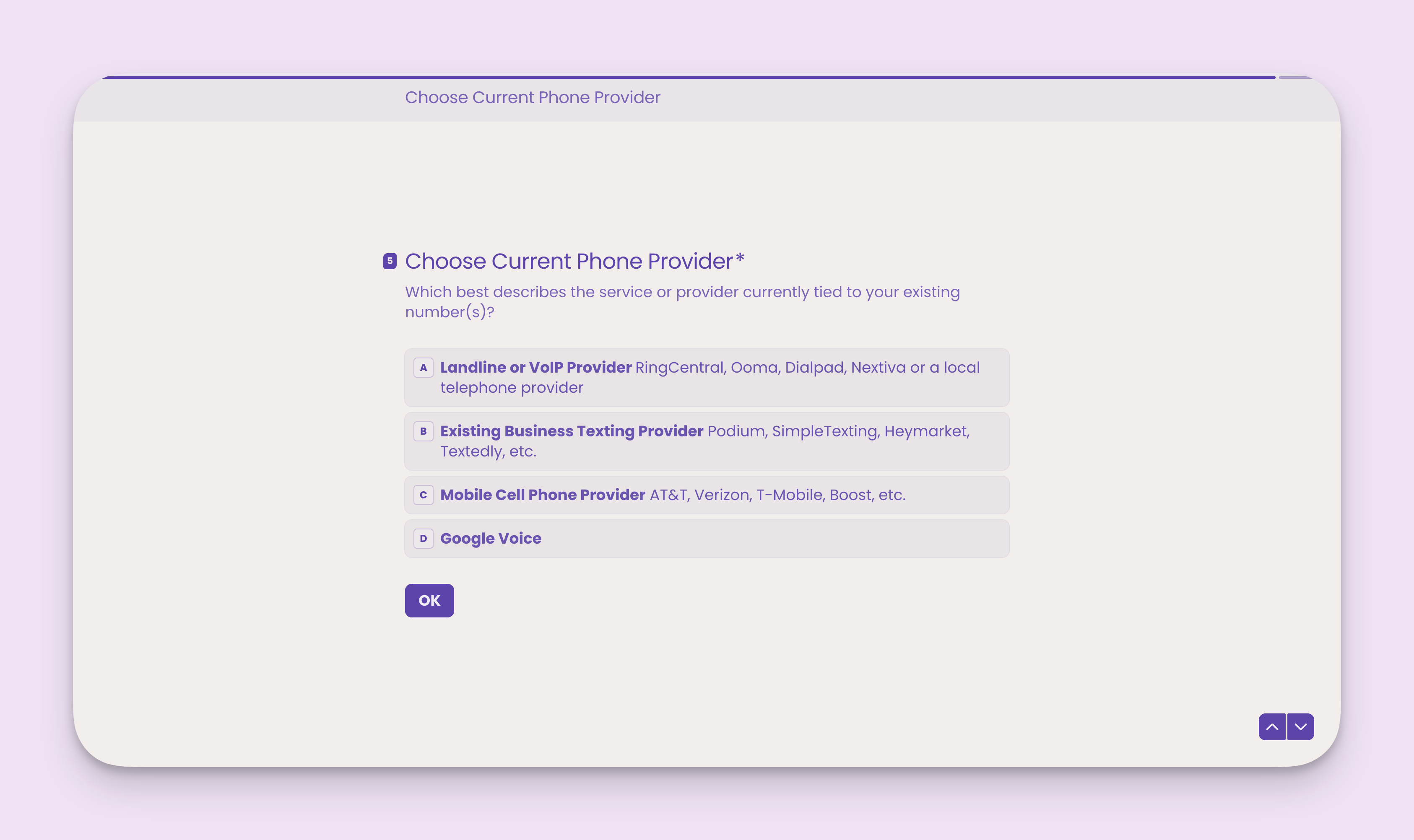
### Host an existing phone number
MessageDesk makes it possible to:
1. Text-enable existing business landlines or VoIP numbers.
2. Text-enable existing phone numbers already tied to a business texting provider.
**Note:** when using your existing business landline or VoIP numbers, MessageDesk works directly with your provider to route SMS sent/received on your existing numbers to MessageDesk.
This type of configuration is called **"Number Hosting"**. It doesn't alter your existing voice setup or configuration.
**Note:** MessageDesk doesn't support texting with phone numbers tied to mobile devices or Google Voice. Mobile carriers like Verizon, AT\&T, and T-Mobile are reluctant to release these numbers since they're tied directly to mobile devices.
Check out this doc for [more info on number hosting vs. porting](/get-started/phone-numbers/overview).
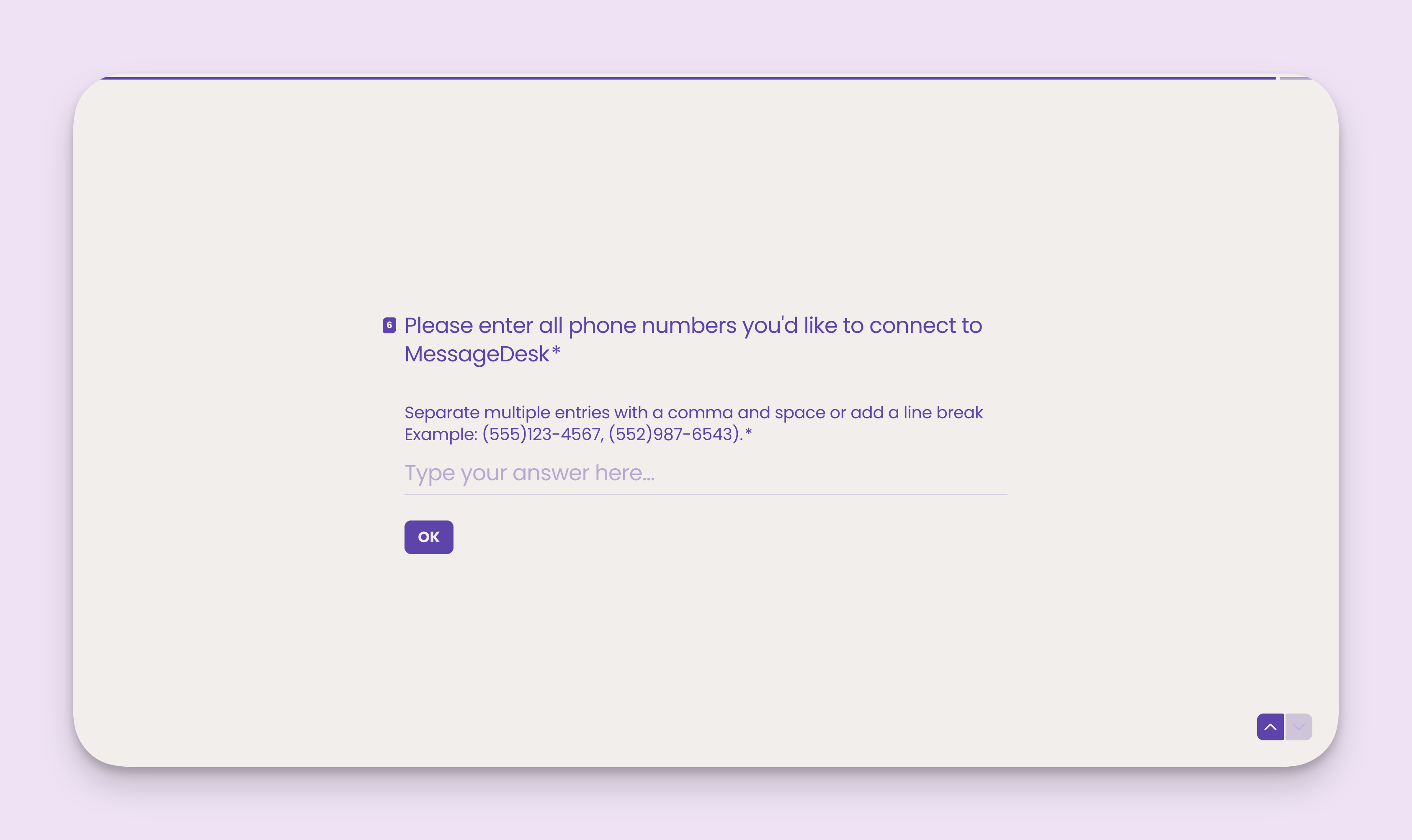
 ### Enter all phone numbers you'd like to connect to MessageDesk
Separate multiple entries with a comma and space or add a line break\
Example: (555)123-4567, (552)987-6543.
### Enter all phone numbers you'd like to connect to MessageDesk
Separate multiple entries with a comma and space or add a line break\
Example: (555)123-4567, (552)987-6543.
 ***
## After you submit your carrier registration
* **Status updates:** Our team will contact you directly within 24-48 hours once you submit your registration request.
* **Connect with Support:** Questions? Email [**support@messagedesk.com**](mailto:support@messagedesk.com)\
or text **(775) 313-9465** for faster response.
* **Estimated completion time:**
* Normal business/organization registration with an EIN: \~**1–3 business days (sometimes within 24 hours)**
* Toll-Free carrier registrations: \~**1–2 weeks**
* **Sending while pending:** Until you complete carrier registration and configure your phone numbers, you can't send or receive text messages.
***
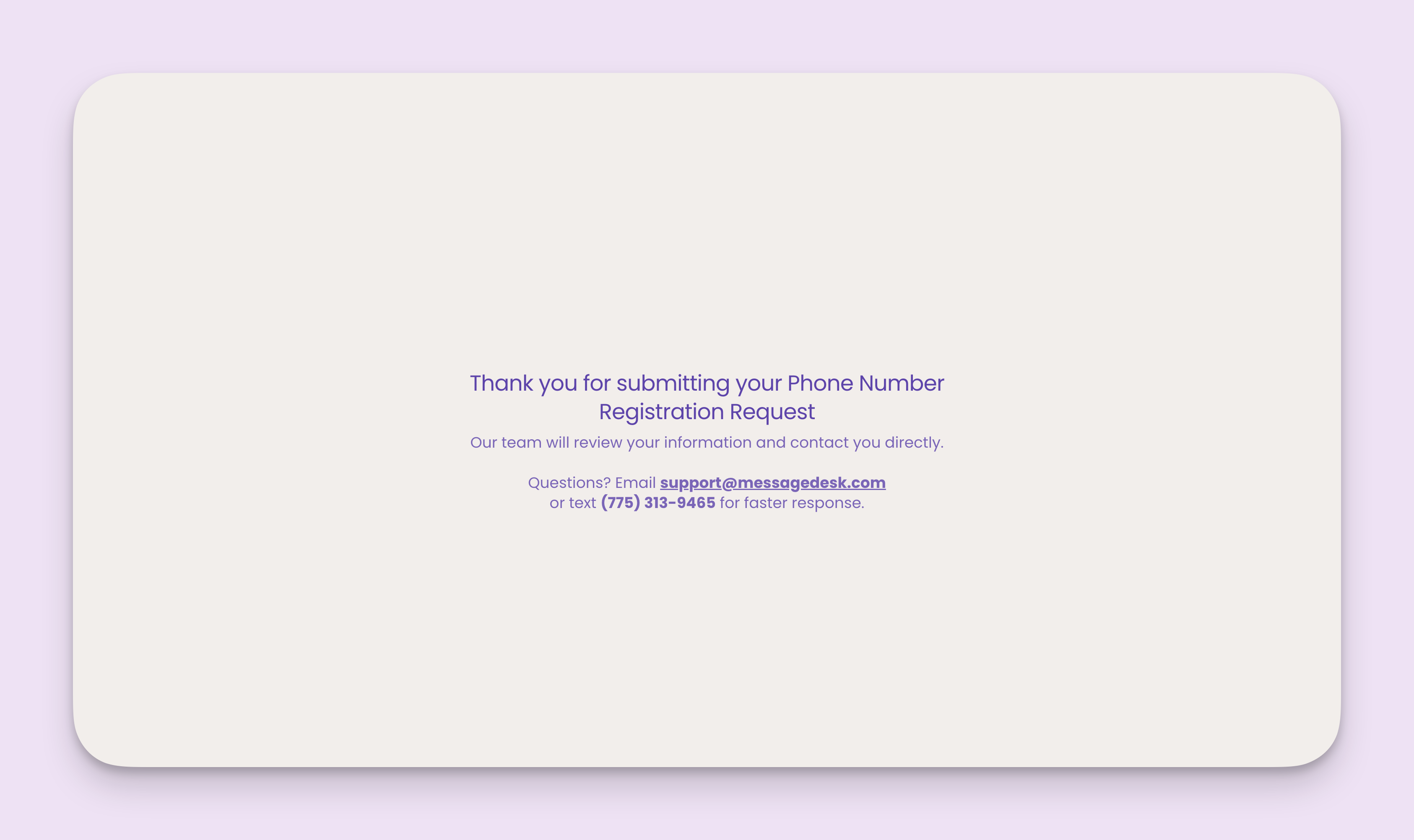
## After you submit your carrier registration
* **Status updates:** Our team will contact you directly within 24-48 hours once you submit your registration request.
* **Connect with Support:** Questions? Email [**support@messagedesk.com**](mailto:support@messagedesk.com)\
or text **(775) 313-9465** for faster response.
* **Estimated completion time:**
* Normal business/organization registration with an EIN: \~**1–3 business days (sometimes within 24 hours)**
* Toll-Free carrier registrations: \~**1–2 weeks**
* **Sending while pending:** Until you complete carrier registration and configure your phone numbers, you can't send or receive text messages.
 ***
## Tips to speed approval
* Make sure your **website shows the same legal name** and address you submit.
* Include **opt-out language** ("Reply STOP…") in at least one **sample message**.
* Describe **exactly** what you plan to send (e.g., "appointment reminders and service updates").
* For toll-free, submit **one form per number** to verify each line.
***
## Frequently asked carrier registration questionnaire questions
The carrier registration questionnaire takes approximately **7-10 minutes** to complete. Make sure you have all the required documents and information ready before starting.
No, the questionnaire must be completed in one session. We recommend gathering all required documents before you begin.
Contact our support team at [support@messagedesk.com](mailto:support@messagedesk.com) or text (775) 313-9465. We can help correct any errors before your registration is processed.
No. Once your business is registered, you can add multiple phone numbers under the same registration. Toll-free numbers require separate verification.
***
## If you're rejected
* Our team will let you know, and we'll help resubmit on your behalf. We're here to help you fix it once and get approved.
***
## Tips to speed approval
* Make sure your **website shows the same legal name** and address you submit.
* Include **opt-out language** ("Reply STOP…") in at least one **sample message**.
* Describe **exactly** what you plan to send (e.g., "appointment reminders and service updates").
* For toll-free, submit **one form per number** to verify each line.
***
## Frequently asked carrier registration questionnaire questions
The carrier registration questionnaire takes approximately **7-10 minutes** to complete. Make sure you have all the required documents and information ready before starting.
No, the questionnaire must be completed in one session. We recommend gathering all required documents before you begin.
Contact our support team at [support@messagedesk.com](mailto:support@messagedesk.com) or text (775) 313-9465. We can help correct any errors before your registration is processed.
No. Once your business is registered, you can add multiple phone numbers under the same registration. Toll-free numbers require separate verification.
***
## If you're rejected
* Our team will let you know, and we'll help resubmit on your behalf. We're here to help you fix it once and get approved.