> ## Documentation Index
> Fetch the complete documentation index at: https://docs.messagedesk.com/llms.txt
> Use this file to discover all available pages before exploring further.
# Sign Up for MessageDesk
> Sign up for a free MessageDesk account, create your team workspace, and start your 14-day trial of shared SMS inbox features in minutes.
# Create your account and sign up for MessageDesk
Create your account, verify your identity, and name your workspace.
***
## Requirements
* **Valid email address**
* **Personal mobile phone number** (for verification; not used as a workspace number)
Landlines, Google Voice/Skype/virtual numbers **won't** work for verification.
International phone numbers are supported for account creation, login, and two-factor verification only.
***
## 1. Create your account
If you're new (and haven't [been invited to an existing workspace](/get-started/join-workspace)), go to the sign-up page and enter your **email** and **password**, or choose **Sign in with Google**.
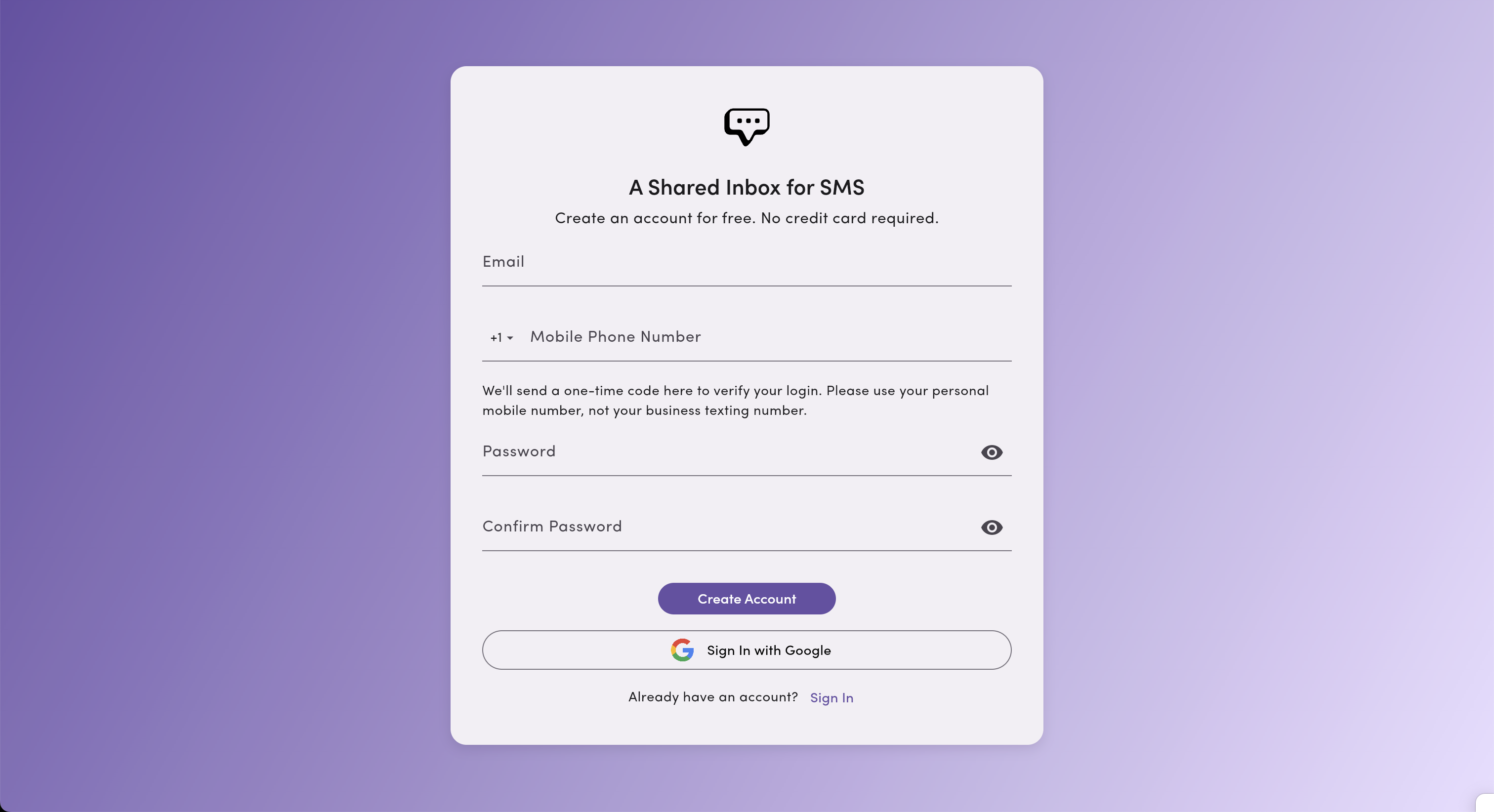 **Password must include:**
* At least **1 uppercase** letter
* At least **1 number**
* At least **1 symbol**
***
## Verify via mobile (SMS code)
You'll receive a **6-digit code** by SMS to your personal mobile number. Enter the code to continue.
2FA codes send via **Twilio Verify** from a Twilio shortcode, which provides faster delivery and supports international phone numbers.
**Password must include:**
* At least **1 uppercase** letter
* At least **1 number**
* At least **1 symbol**
***
## Verify via mobile (SMS code)
You'll receive a **6-digit code** by SMS to your personal mobile number. Enter the code to continue.
2FA codes send via **Twilio Verify** from a Twilio shortcode, which provides faster delivery and supports international phone numbers.
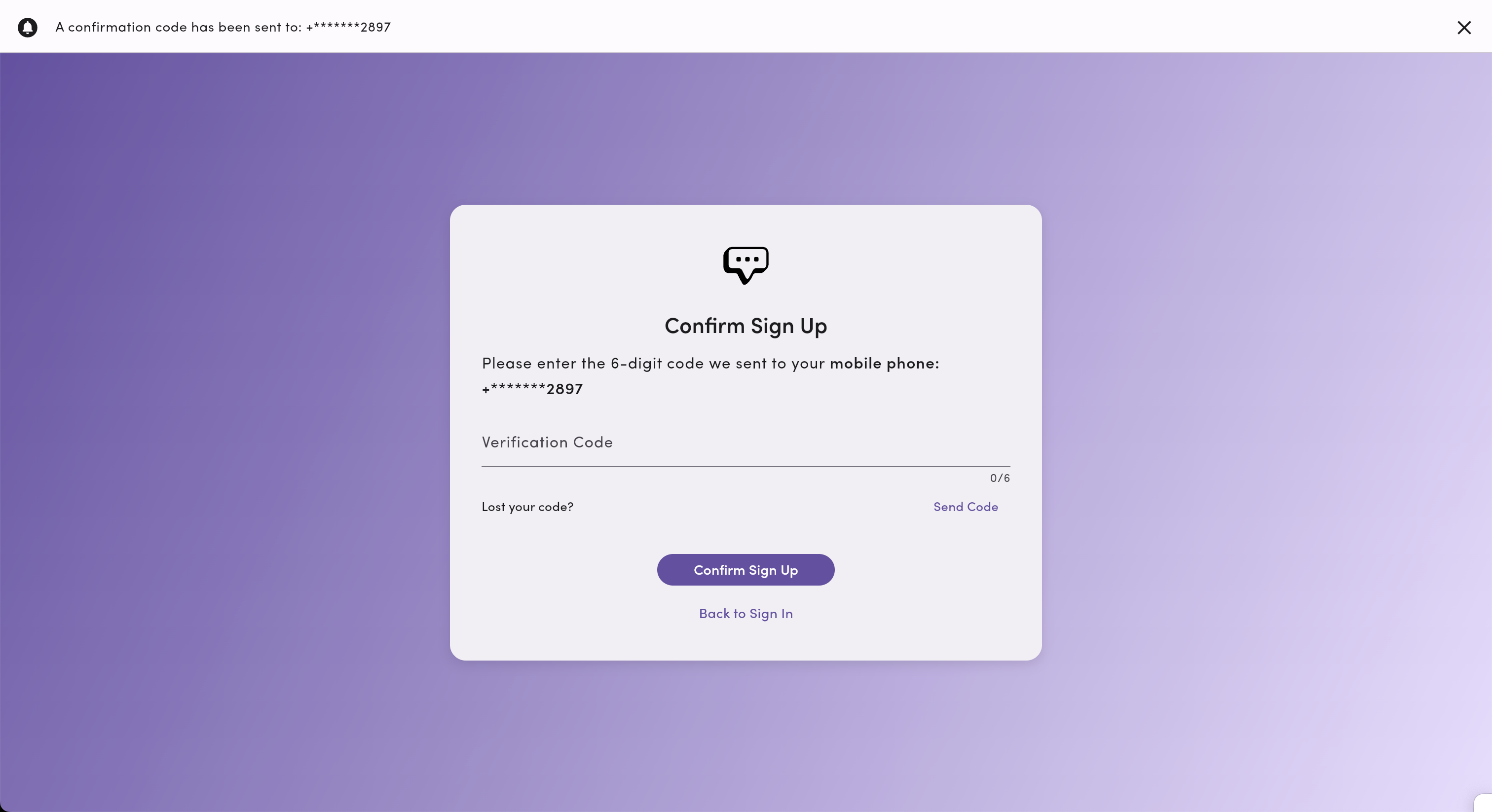 Didn't get the code? Email [support@messagedesk.com](mailto:support@messagedesk.com) or text [**(775) 313-9465**](sms:7753139465).
***
## Verify your email (email code)
Next, we'll send a **second 6-digit code** to your **email**. Enter the code to finish verification.
Didn't get the code? Email [support@messagedesk.com](mailto:support@messagedesk.com) or text [**(775) 313-9465**](sms:7753139465).
***
## Verify your email (email code)
Next, we'll send a **second 6-digit code** to your **email**. Enter the code to finish verification.
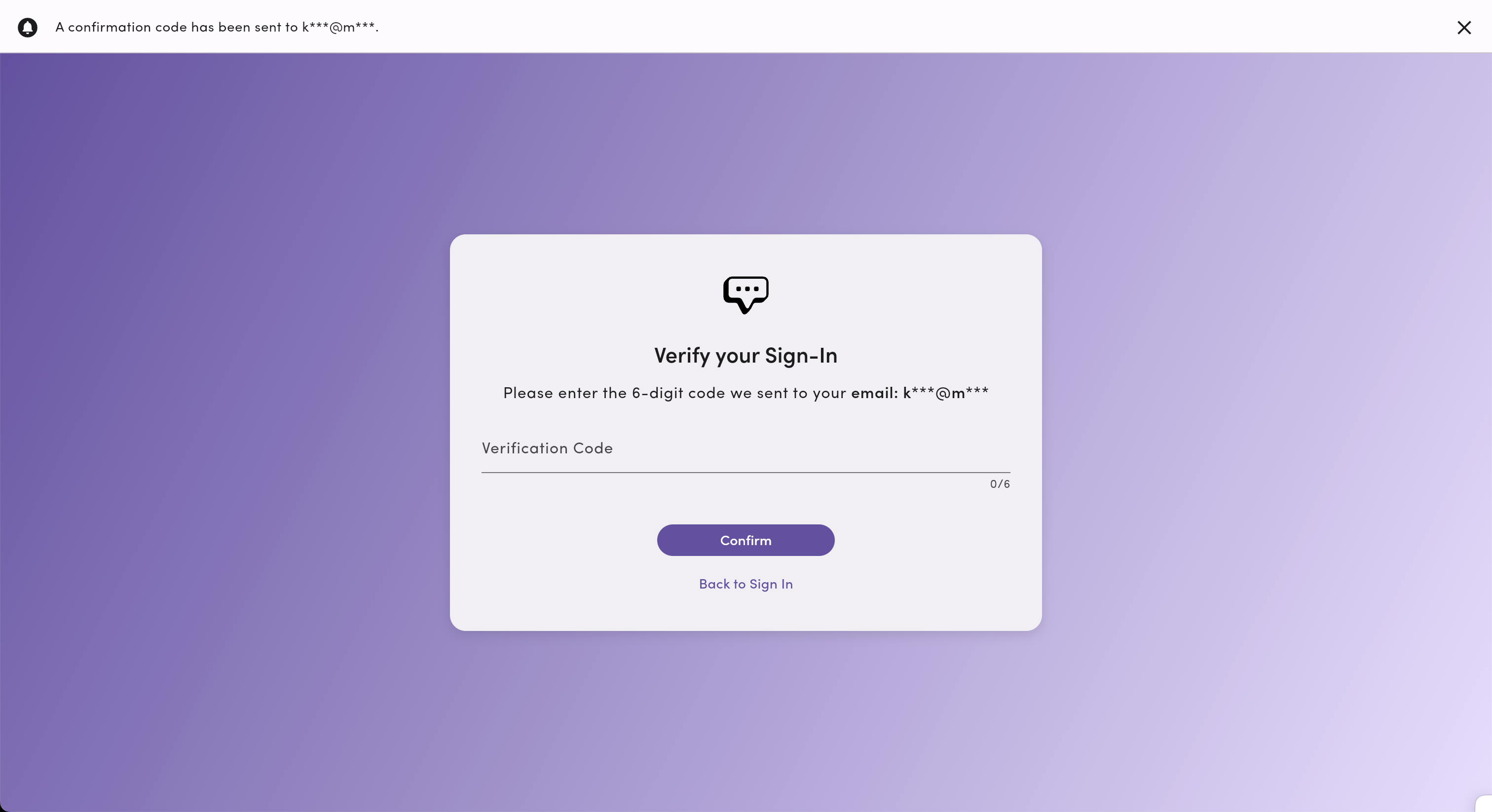 Didn't get the email? Check your spam/junk folders, then contact [support@messagedesk.com](mailto:support@messagedesk.com) or text [**(775) 313-9465**](sms:7753139465).
***
## Name your workspace
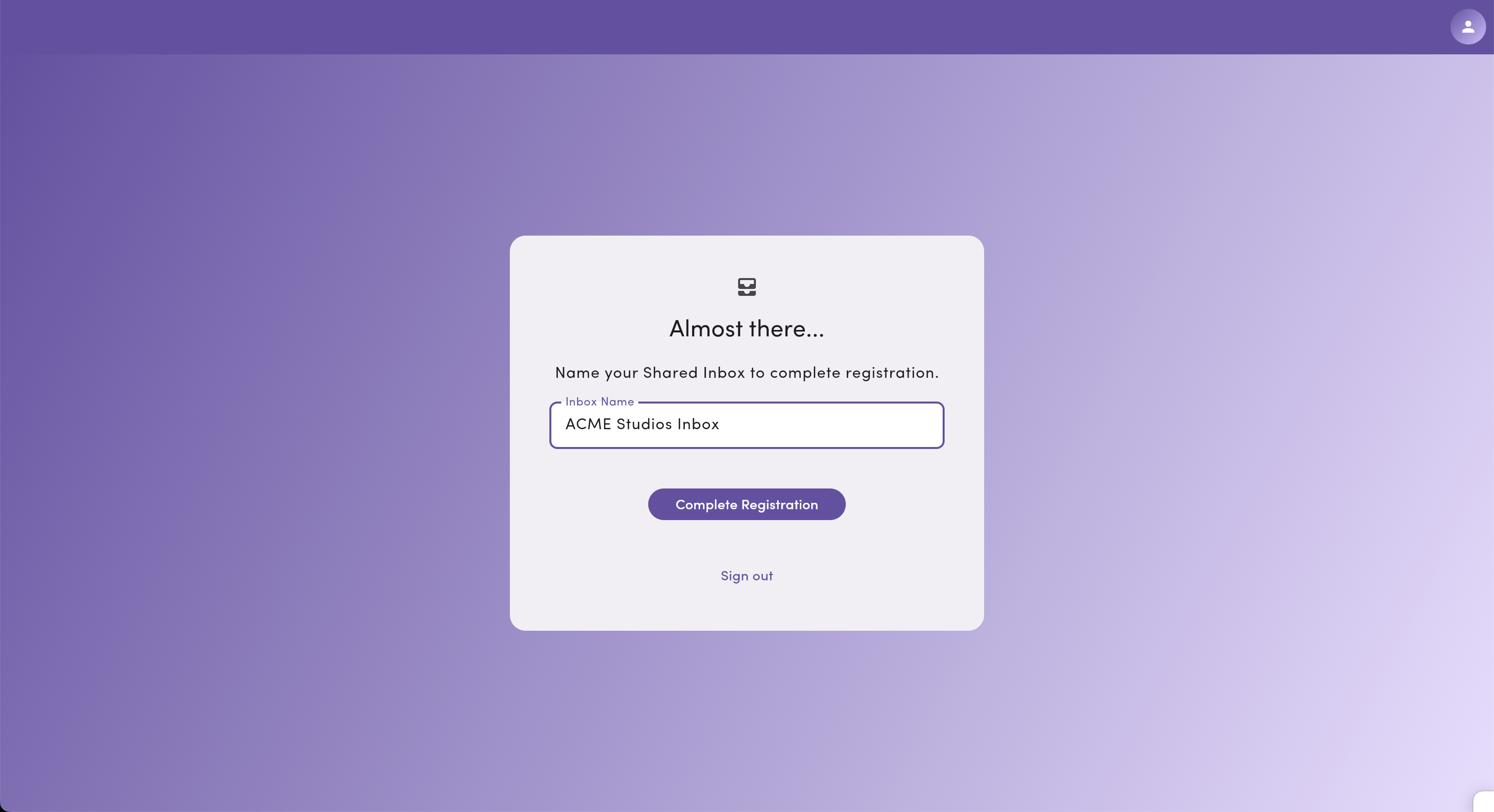
Give your new workspace/inbox a **name** to complete the setup. You can change this later in **Settings**.
Didn't get the email? Check your spam/junk folders, then contact [support@messagedesk.com](mailto:support@messagedesk.com) or text [**(775) 313-9465**](sms:7753139465).
***
## Name your workspace
Give your new workspace/inbox a **name** to complete the setup. You can change this later in **Settings**.
 ***
## What happens next?
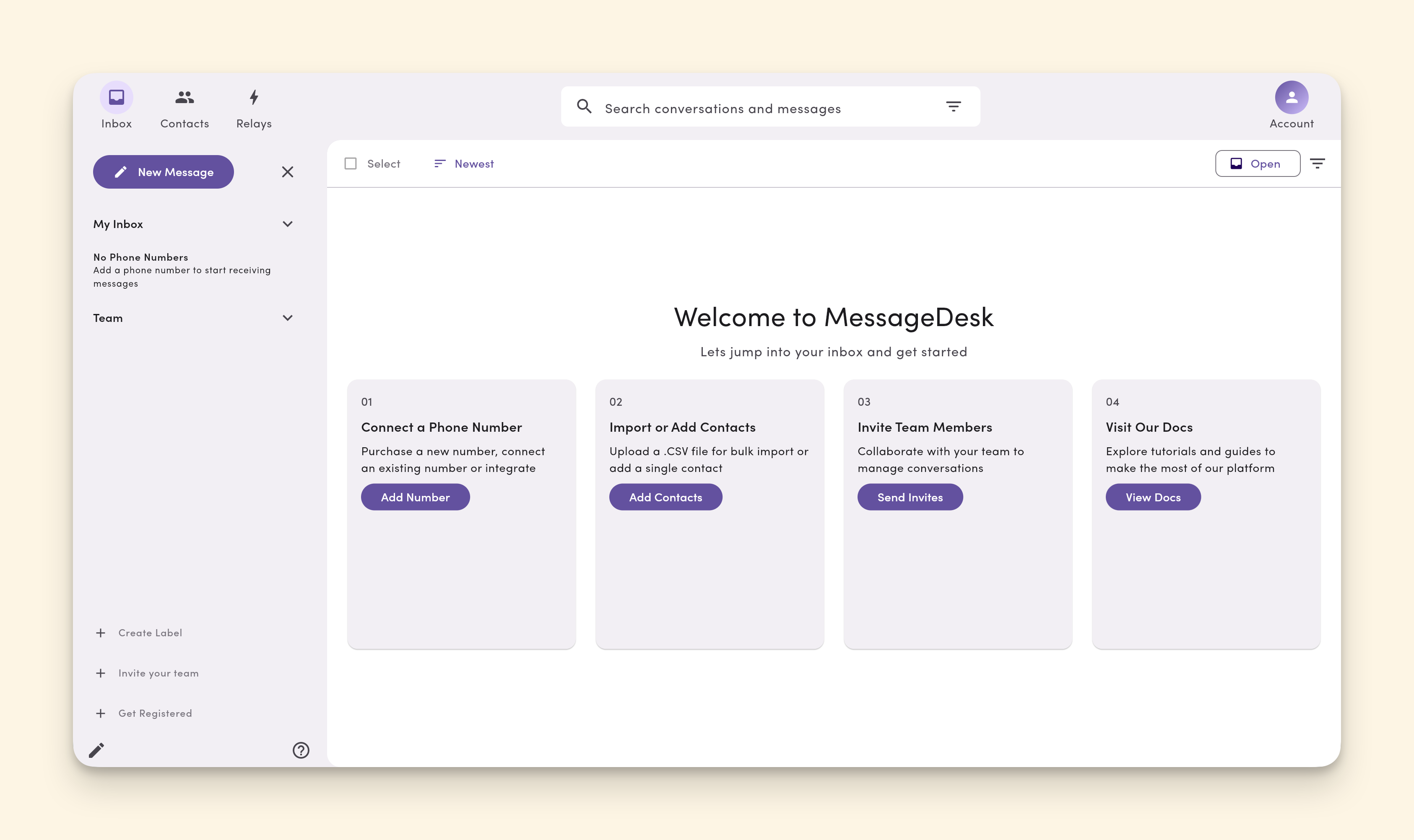
You'll land in your **new MessageDesk workspace** with a prompt to complete the following steps:
1. [Connect phone numbers](/get-started/phone-numbers/overview): you have several options here.
[Carrier Registration](/carrier-registration/overview) is included with your MessageDesk account and is required when connecting new phone numbers. Your carrier registration process varies depending on the types of phone numbers you connect to MessageDesk.
2. [Import or add contacts](/contacts/create-import): add contacts manually or via .csv file upload.
3. [Invite team members](/settings/workspace-settings/team-management): bring your team to MessageDesk with set roles and permissions.
4. Visit our docs for answers to questions and additional resources.
***
## What happens next?
You'll land in your **new MessageDesk workspace** with a prompt to complete the following steps:
1. [Connect phone numbers](/get-started/phone-numbers/overview): you have several options here.
[Carrier Registration](/carrier-registration/overview) is included with your MessageDesk account and is required when connecting new phone numbers. Your carrier registration process varies depending on the types of phone numbers you connect to MessageDesk.
2. [Import or add contacts](/contacts/create-import): add contacts manually or via .csv file upload.
3. [Invite team members](/settings/workspace-settings/team-management): bring your team to MessageDesk with set roles and permissions.
4. Visit our docs for answers to questions and additional resources.
 ***
## Frequently asked questions
**Is my personal mobile number used for texting customers?**\
No. It's only used for **account security** and two-factor authentication (2FA). Your workspace uses **separate business numbers** you connect or purchase.
**Can I use an international phone number to create a MessageDesk account?**\
Yes. MessageDesk supports international phone numbers, but only for account creation, login, and two-factor account verification. MessageDesk doesn't support sending or receiving messages from international numbers.
**Can I change my workspace name later?**\
Yes. Update it anytime in **Settings → Workspace Profile**.
**I was invited to a workspace. Do I still use this page?**\
Follow the **invitation link** you received to join the existing workspace: see [**Join a workspace**](/get-started/join-workspace).
***
***
## Frequently asked questions
**Is my personal mobile number used for texting customers?**\
No. It's only used for **account security** and two-factor authentication (2FA). Your workspace uses **separate business numbers** you connect or purchase.
**Can I use an international phone number to create a MessageDesk account?**\
Yes. MessageDesk supports international phone numbers, but only for account creation, login, and two-factor account verification. MessageDesk doesn't support sending or receiving messages from international numbers.
**Can I change my workspace name later?**\
Yes. Update it anytime in **Settings → Workspace Profile**.
**I was invited to a workspace. Do I still use this page?**\
Follow the **invitation link** you received to join the existing workspace: see [**Join a workspace**](/get-started/join-workspace).
***