> ## Documentation Index
> Fetch the complete documentation index at: https://docs.messagedesk.com/llms.txt
> Use this file to discover all available pages before exploring further.
# MessageDesk Compliance Center
> Manage SMS compliance in MessageDesk. Configure opt-in confirmations, STOP and HELP keywords, signatures, and double opt-in flows for TCPA-safe messaging.
# MessageDesk Compliance Center
Set how your workspace handles SMS opt-outs, opt-out confirmations, signatures, and STOP keywords. Clearly and carrier-friendly.
***
## Access the Compliance Center
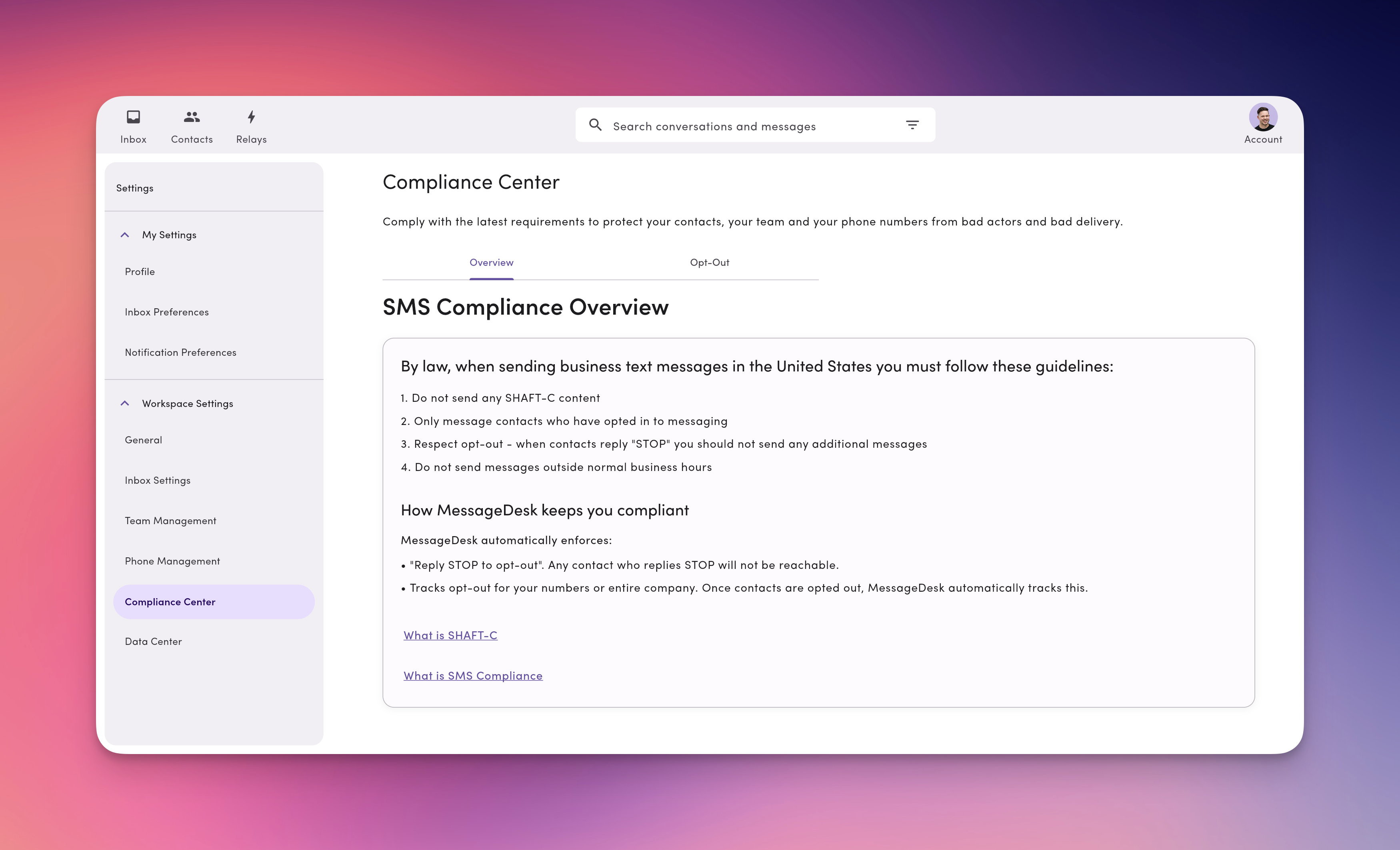
Go to **Account → Settings → Compliance Center** (under **Workspace Settings**).
If you don't see Compliance Center, your role may not include access. Ask an Admin or Manager.
 ***
## SMS compliance overview
The **Overview** tab covers U.S. SMS compliance basics and recommended practices.
By law, when sending business text messages in the United States, you must follow these guidelines:
1. Don't send any SHAFT-C-related content.
2. Only message contacts who've opted in to receive messaging from you.
3. Respect opt-out. When contacts reply "STOP," don't send any additional messages.
4. Don't send messages outside of normal business hours.
## How MessageDesk helps keep you compliant
MessageDesk automatically enforces:
1. "Reply STOP to opt-out" for every contact who replies STOP at any time.
2. Opt-out tracking for each number across your entire workspace.
3. When contacts opt out of messaging, MessageDesk tracks this for you.
***
## Opt-out configuration
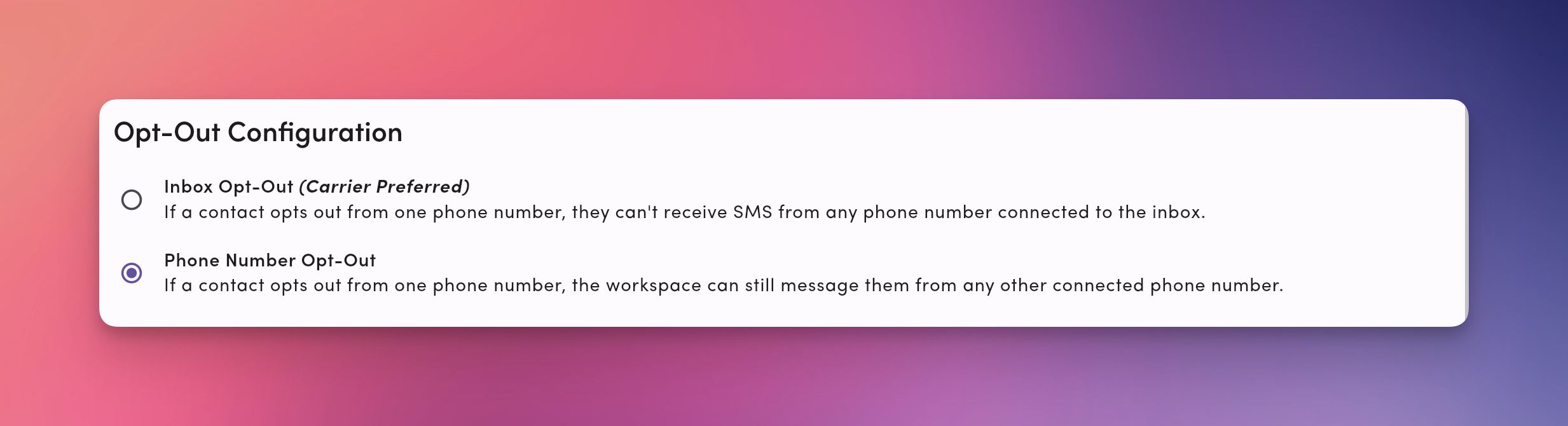
MessageDesk gives you two ways to configure opt-out.
### 1. Inbox Opt-Out (carrier-preferred)
If a contact opts out on **one** phone number, they're blocked from **every** number in your workspace.
**When to use.** Works best for most teams: single standard, fewer compliance mistakes, can produce better deliverability.
### 2. Phone Number Opt-Out
If a contact opts out of messaging from **one** number, they can still receive texts from **other** numbers in your workspace.
**When to use.** Each number serves a distinct audience or purpose (with separate consent).
***
## SMS compliance overview
The **Overview** tab covers U.S. SMS compliance basics and recommended practices.
By law, when sending business text messages in the United States, you must follow these guidelines:
1. Don't send any SHAFT-C-related content.
2. Only message contacts who've opted in to receive messaging from you.
3. Respect opt-out. When contacts reply "STOP," don't send any additional messages.
4. Don't send messages outside of normal business hours.
## How MessageDesk helps keep you compliant
MessageDesk automatically enforces:
1. "Reply STOP to opt-out" for every contact who replies STOP at any time.
2. Opt-out tracking for each number across your entire workspace.
3. When contacts opt out of messaging, MessageDesk tracks this for you.
***
## Opt-out configuration
MessageDesk gives you two ways to configure opt-out.
### 1. Inbox Opt-Out (carrier-preferred)
If a contact opts out on **one** phone number, they're blocked from **every** number in your workspace.
**When to use.** Works best for most teams: single standard, fewer compliance mistakes, can produce better deliverability.
### 2. Phone Number Opt-Out
If a contact opts out of messaging from **one** number, they can still receive texts from **other** numbers in your workspace.
**When to use.** Each number serves a distinct audience or purpose (with separate consent).
 ***
## Opt-out confirmation
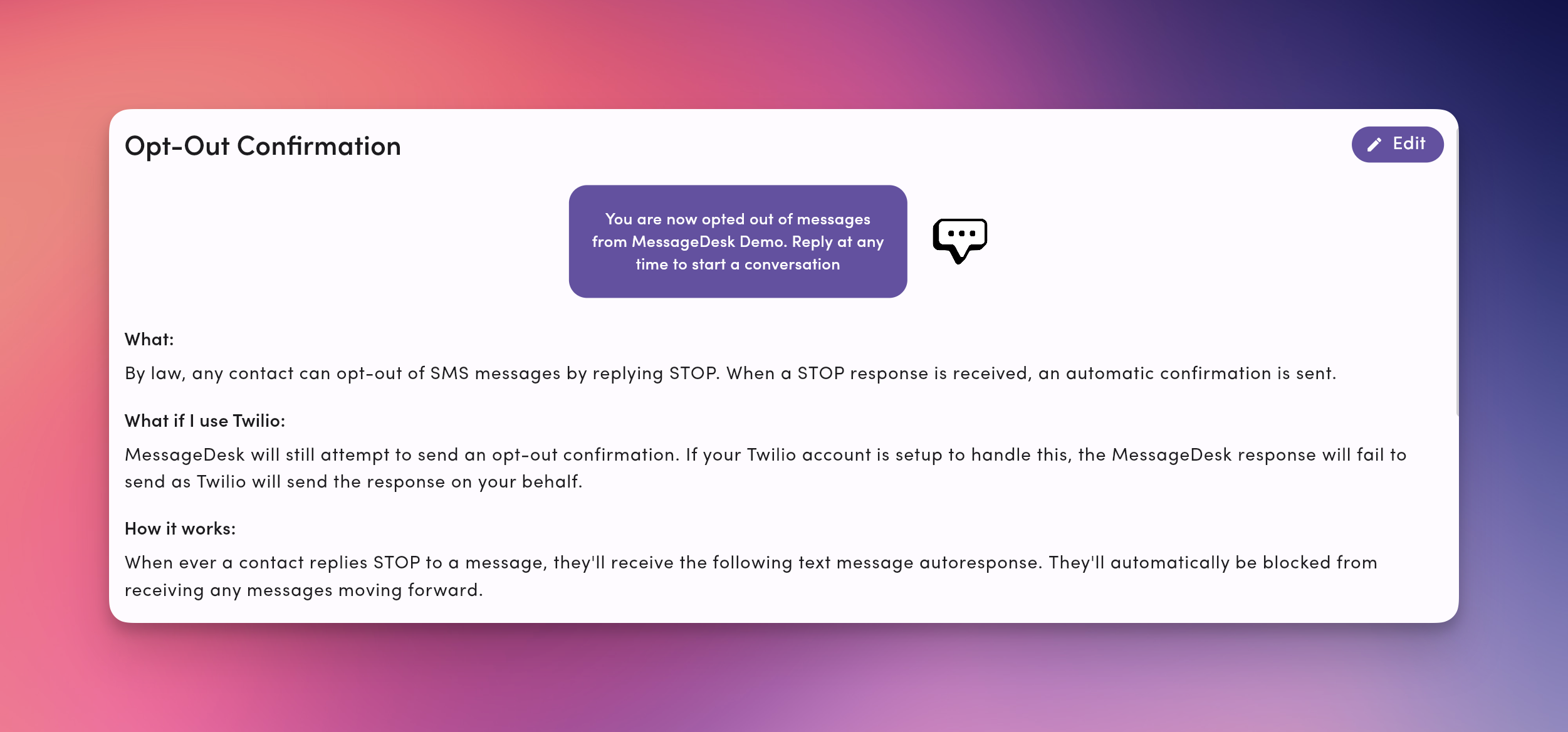
Opt-out confirmation sends a message confirming the contact has opted out. Fine-tune what the contact sees immediately after they unsubscribe.
**What happens by default**
* MessageDesk sends an **automatic confirmation** acknowledging the opt-out.
* The conversation shows an **opt-out banner**, and future sends are blocked.
**Edit the opt-out confirmation:**
1. Click **Edit**.
* Edit the message to include a confirmation that the contact has opted out, plus a brief note about how to **opt back in** (see "Re-opt in" below).
***
## Opt-out confirmation
Opt-out confirmation sends a message confirming the contact has opted out. Fine-tune what the contact sees immediately after they unsubscribe.
**What happens by default**
* MessageDesk sends an **automatic confirmation** acknowledging the opt-out.
* The conversation shows an **opt-out banner**, and future sends are blocked.
**Edit the opt-out confirmation:**
1. Click **Edit**.
* Edit the message to include a confirmation that the contact has opted out, plus a brief note about how to **opt back in** (see "Re-opt in" below).
 ***
## Opt-out signature
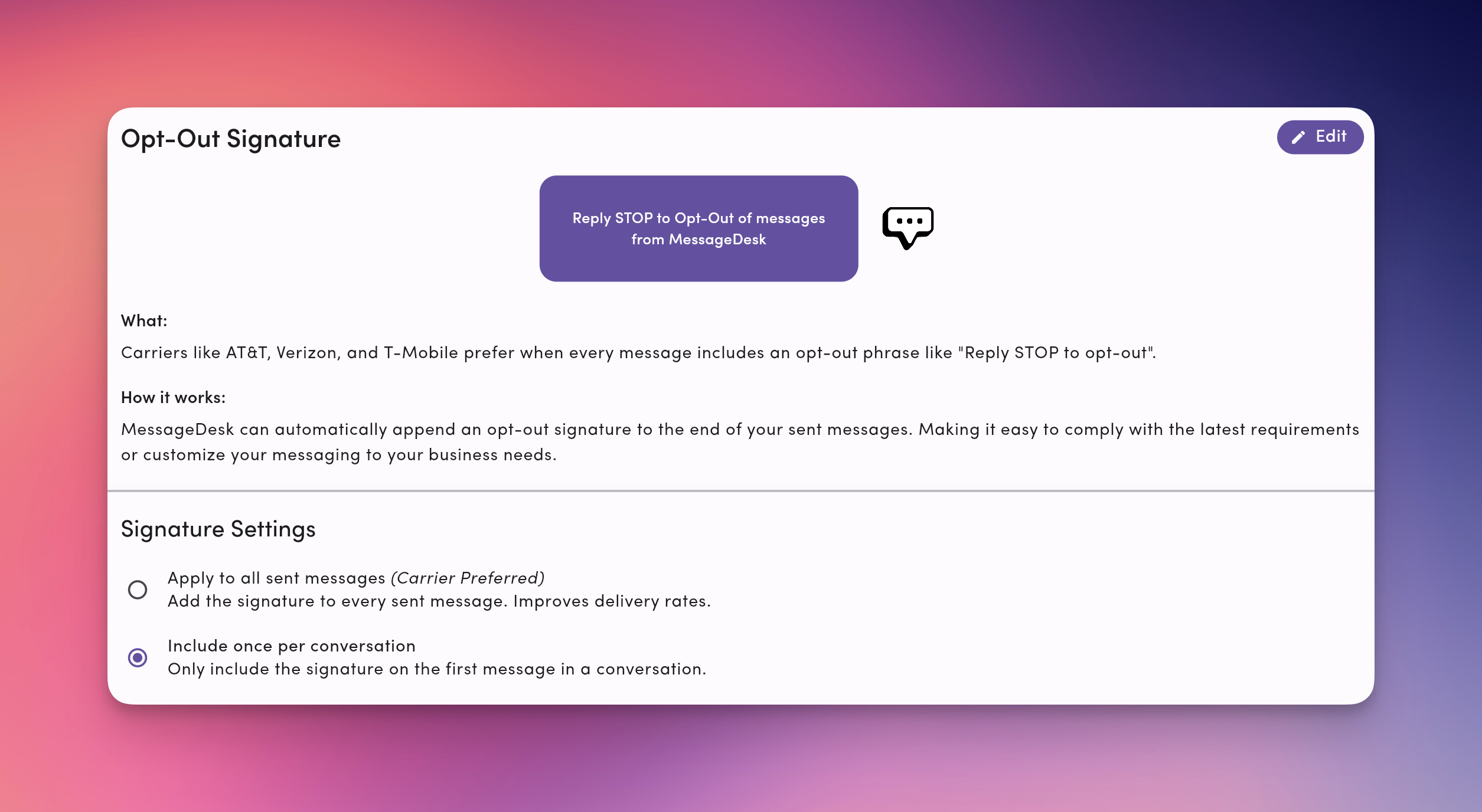
Add a standard opt-out line ("Reply STOP to opt out.") to every sent message. Improves clarity and helps you meet carrier expectations.
**Options:**
* **Apply to all sent messages (carrier-preferred).** Most compliant. Least confusing for recipients.
* **Include once per conversation.** Adds the signature only to the first outbound message in a thread.
**How to set.** **Settings → Compliance Center → Opt-Out → Signature**.
**Tips:**
* Keep it short and standard: "Reply STOP to opt out."
* Pair with your business/organization name when appropriate for context.
***
## Opt-out signature
Add a standard opt-out line ("Reply STOP to opt out.") to every sent message. Improves clarity and helps you meet carrier expectations.
**Options:**
* **Apply to all sent messages (carrier-preferred).** Most compliant. Least confusing for recipients.
* **Include once per conversation.** Adds the signature only to the first outbound message in a thread.
**How to set.** **Settings → Compliance Center → Opt-Out → Signature**.
**Tips:**
* Keep it short and standard: "Reply STOP to opt out."
* Pair with your business/organization name when appropriate for context.
 ***
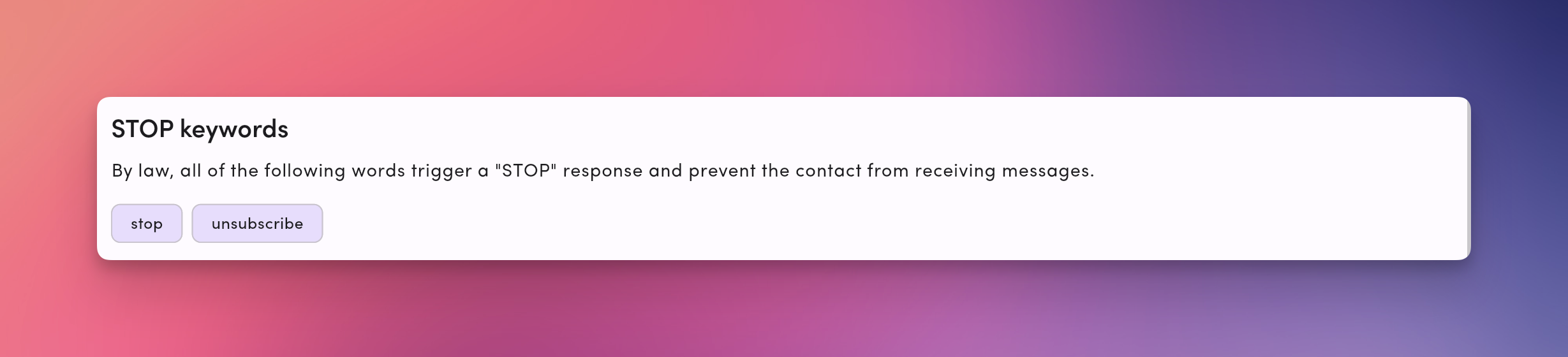
## STOP keywords
MessageDesk manages opt-outs automatically when a contact replies with a supported keyword:
* `stop`
* `unsubscribe`
Variations (case/spacing) are supported.
**What you'll see**
* The contact gets an **automatic confirmation**.
* An **opt-out notice** appears in the thread.
* Future sends are **blocked** based on your configured scope.
***
## STOP keywords
MessageDesk manages opt-outs automatically when a contact replies with a supported keyword:
* `stop`
* `unsubscribe`
Variations (case/spacing) are supported.
**What you'll see**
* The contact gets an **automatic confirmation**.
* An **opt-out notice** appears in the thread.
* Future sends are **blocked** based on your configured scope.
 ***
## Opt-out best practices
* **Message only opted-in contacts.**
* **Respect opt-outs immediately.** Don't follow with a "last message."
* **Include opt-out language** (signature) on non-conversational sends.
* **Avoid spam triggers.** Generic short links, all caps, excessive punctuation.
* **Send during business hours** when possible.
***
## Troubleshooting
**I can't text a contact anymore.**\
They may be opted out. Check the **opt-out banner** in the thread and review **scope** in Compliance Center.
**Switching numbers didn't bypass an opt-out.**\
You probably have **Inbox Opt-Out** enabled. Switch to **Phone Number Opt-Out** only if your compliance policy allows distinct consent per line.
**A contact wants to opt back in.**\
Ask them to send **START** (or another explicit consent message) from the same number. Confirm opt-in and resume messaging per your policy.
**Our messages are being filtered.**\
Turn on the **opt-out signature** for clarity, review content for potential spam triggers, and confirm your **carrier registration** status for each line.
***
## Opt-out best practices
* **Message only opted-in contacts.**
* **Respect opt-outs immediately.** Don't follow with a "last message."
* **Include opt-out language** (signature) on non-conversational sends.
* **Avoid spam triggers.** Generic short links, all caps, excessive punctuation.
* **Send during business hours** when possible.
***
## Troubleshooting
**I can't text a contact anymore.**\
They may be opted out. Check the **opt-out banner** in the thread and review **scope** in Compliance Center.
**Switching numbers didn't bypass an opt-out.**\
You probably have **Inbox Opt-Out** enabled. Switch to **Phone Number Opt-Out** only if your compliance policy allows distinct consent per line.
**A contact wants to opt back in.**\
Ask them to send **START** (or another explicit consent message) from the same number. Confirm opt-in and resume messaging per your policy.
**Our messages are being filtered.**\
Turn on the **opt-out signature** for clarity, review content for potential spam triggers, and confirm your **carrier registration** status for each line.