

Manage personal notification preferences
Choose when MessageDesk notifies you and on which devices. Set up email, mobile push, and browser notifications so you don’t miss messages.TL;DR
- Open Account → Settings → Notification Preferences (My Settings) to pick your email notification rule.
- Install the mobile app for push alerts.
- Turn on browser notifications in Chrome or the installed app (Chrome App or Safari App).
What MessageDesk can notify you about
- Mobile push (iOS & Android)
- Browser notifications
- Chrome (browser tab)
- Chrome App (installed PWA)
- Safari App on macOS Sonoma+
You control each channel independently. For example, you can keep email off and mobile push on.
Notification events
MessageDesk sends notifications for events including:- New message. Inbound activity according to your email rule and push/browser settings.
- @Mention in a comment. When a teammate mentions you in an internal comment.
- Export Available. Push and browser notification to the user who triggered any conversation export, Message History export, or contact, message template, label, or opt-out export. The file is ready to download from the Export Available button in the top nav. MessageDesk also sends an export completed email with a download link to the same user for every export type.
- Import completed email. When a Data Center import (contacts, messages, message templates, labels, or opt-outs) finishes, MessageDesk emails the user who started it a summary of the run. Import notifications only go by email; there’s no push or browser toggle for this event.
Configure email notifications
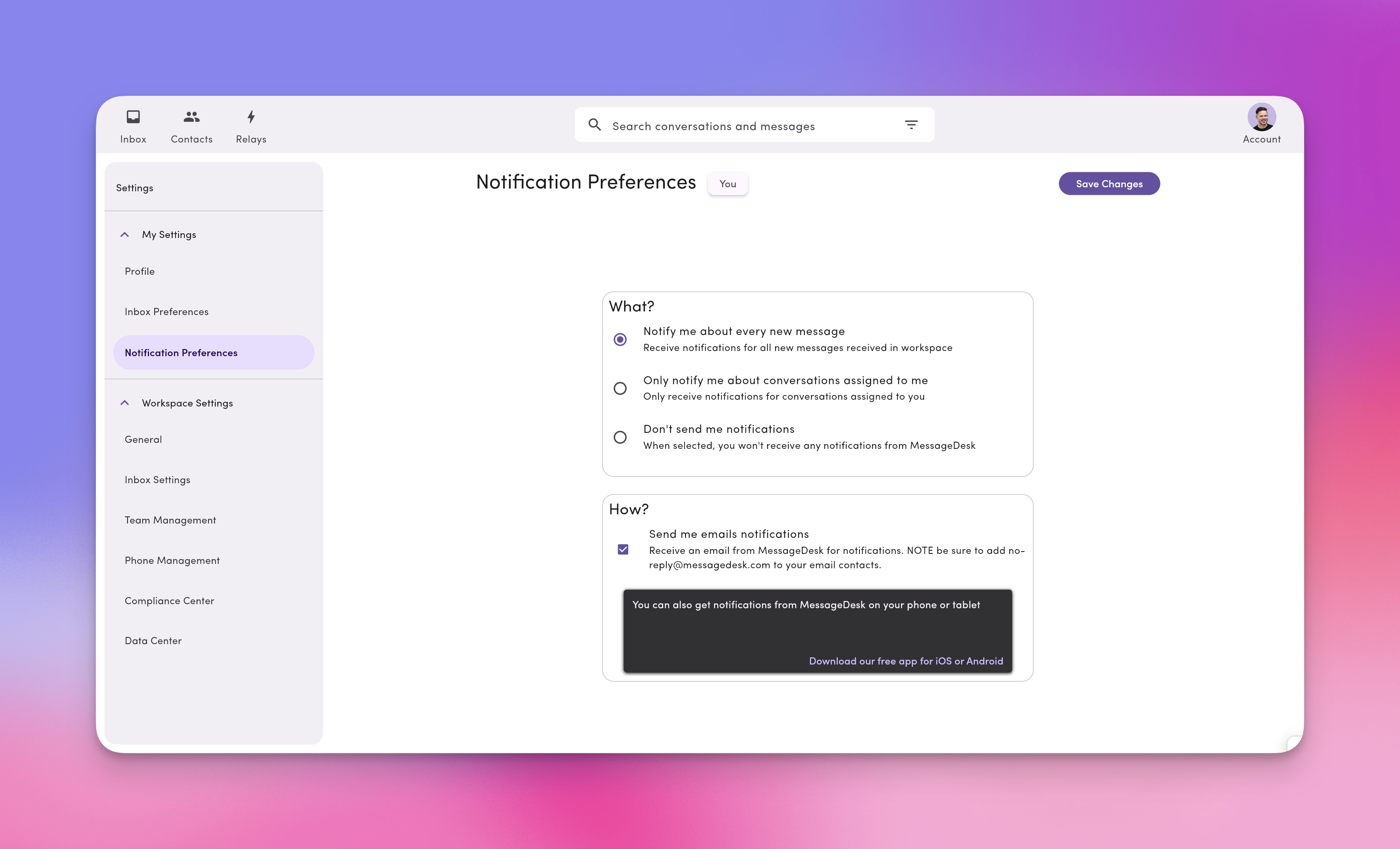
- In MessageDesk, go to Account → Settings → Notification Preferences (My Settings).
- Choose one:
- Notify me about every new message. Emails for all inbound conversations in your workspace.
- Only notify me about conversations assigned to me. Emails only when there’s activity in threads you’re assigned to.
- Don’t send me notifications. Turns off email notifications.
- Click Save Changes.
Configure mobile push (iOS & Android)
- Download the MessageDesk app on your device(s).
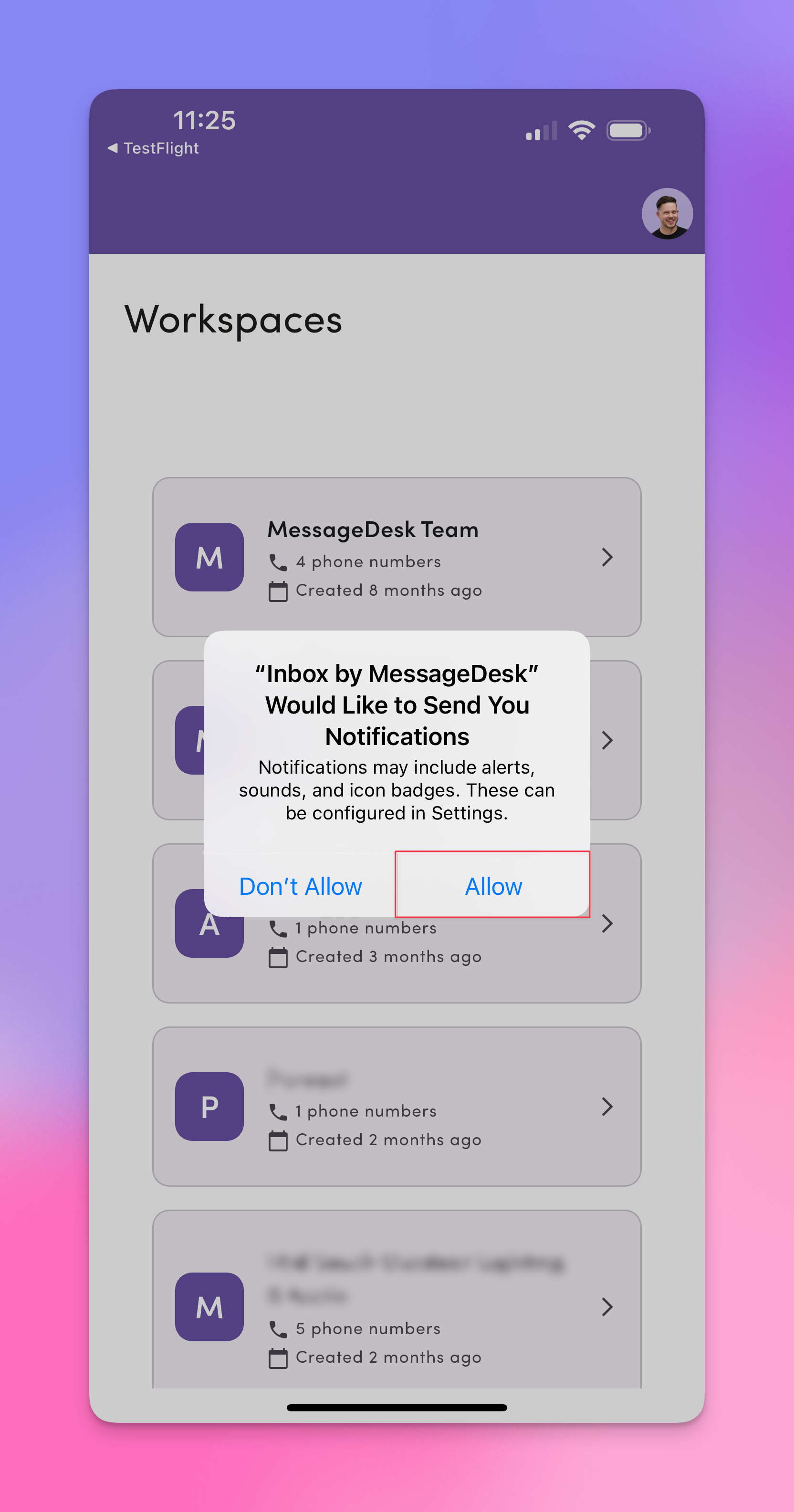
- Open the app and Allow notifications (alerts, sounds, badges) when prompted.
- Stay signed in to receive pushes.
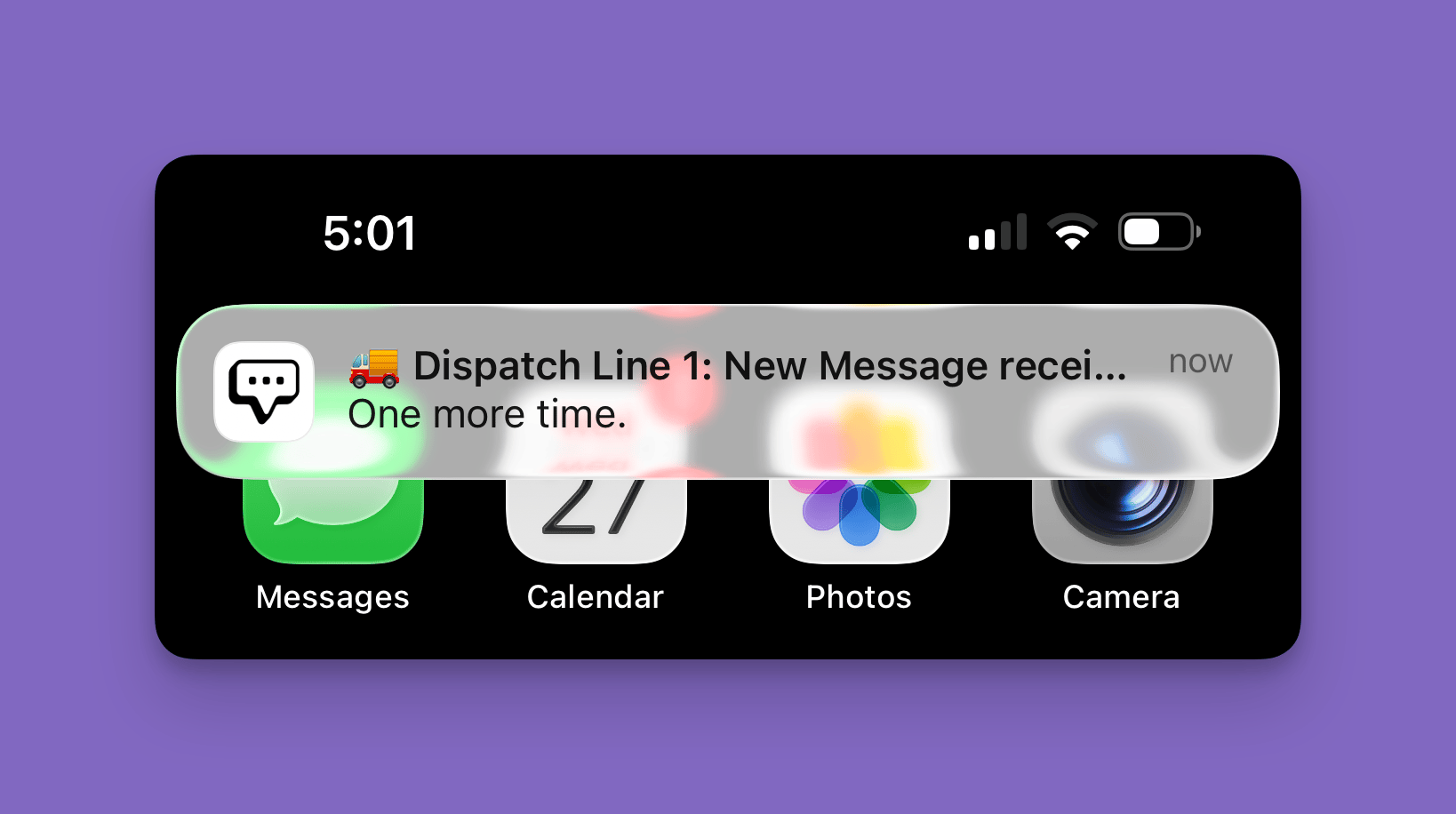
Mobile push notifications include sound and vibration when a new message arrives. Your device’s notification settings control these, not MessageDesk. Manage them in:
- iOS: Settings → Notifications → MessageDesk
- Android: Settings → Apps → MessageDesk → Notifications
App icon badge count
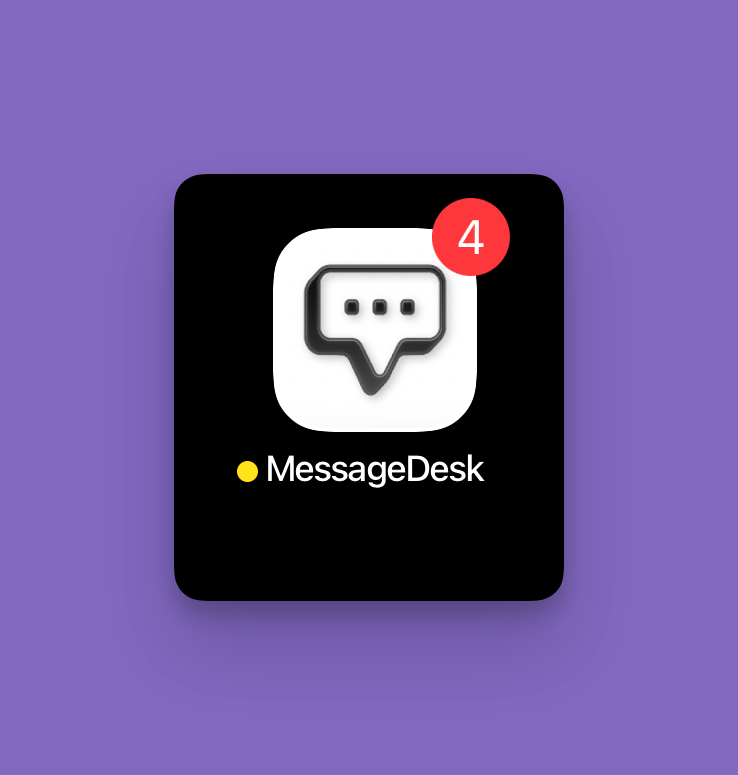
The number on the MessageDesk app icon on your home screen reflects your total unread conversations in the workspace.- The badge matches the unread count shown next to All Conversations in the side nav and on the Inbox icon in the bottom nav.
- The badge only appears if notifications are enabled for the MessageDesk app at the device level.
- The badge shows the total unread conversations you have access to in the workspace. It isn’t filtered by your Notification Preference setting. For example, if you’re set to “Only notify me about conversations assigned to me,” the badge still shows the full unread conversation count.
- The badge counts unread conversations, not unread messages. Receiving multiple messages from the same contact in an already-unread conversation doesn’t increase the badge.
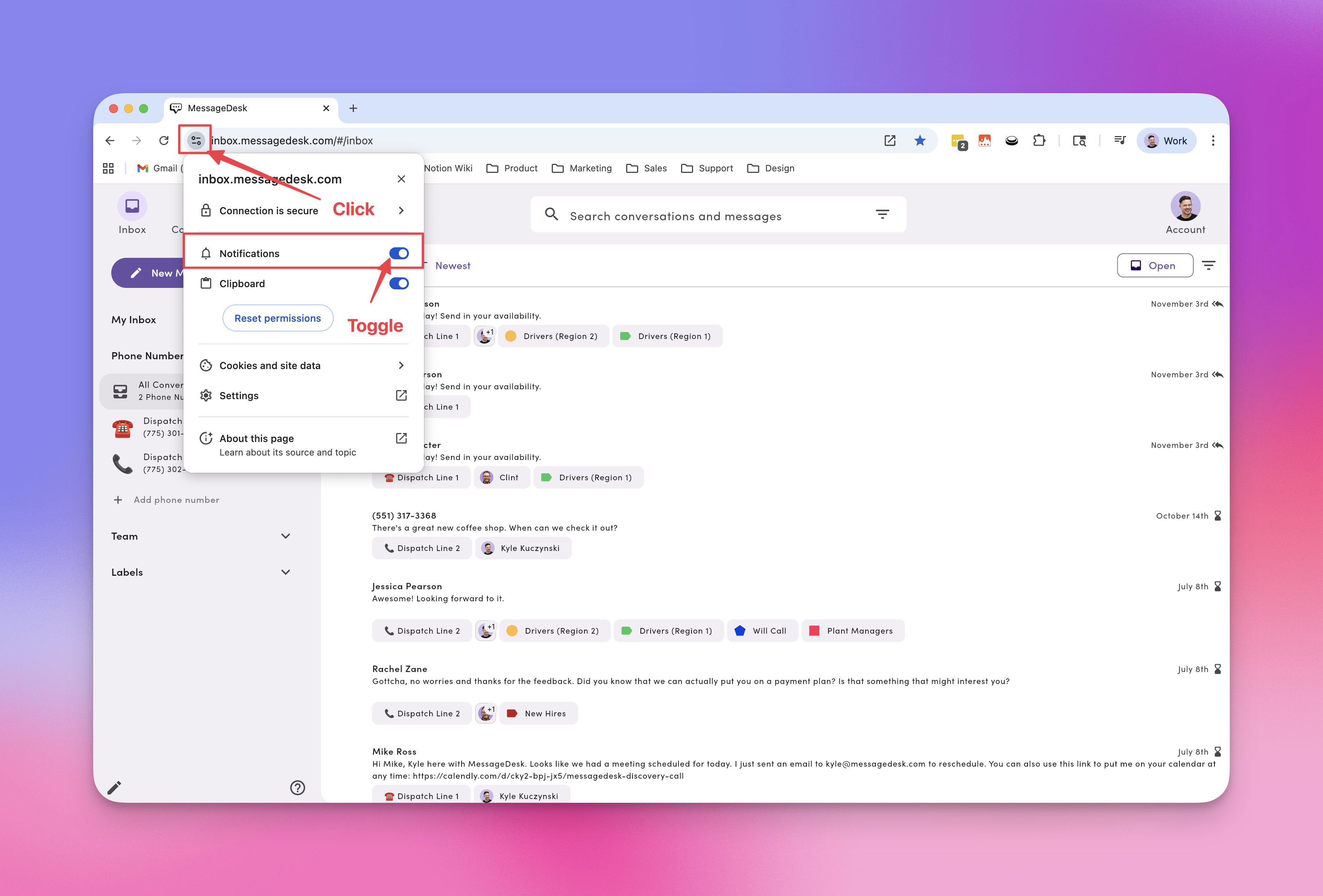
Configure browser notifications: Chrome (browser tab)
- Log in to MessageDesk in Chrome.
- Click the site settings icon next to the URL.
- Toggle Notifications → On/Allow.
Configure browser notifications: Chrome App (installed PWA)
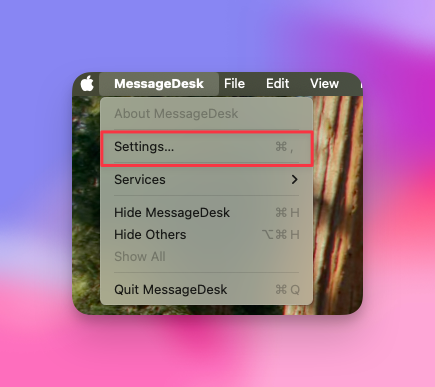
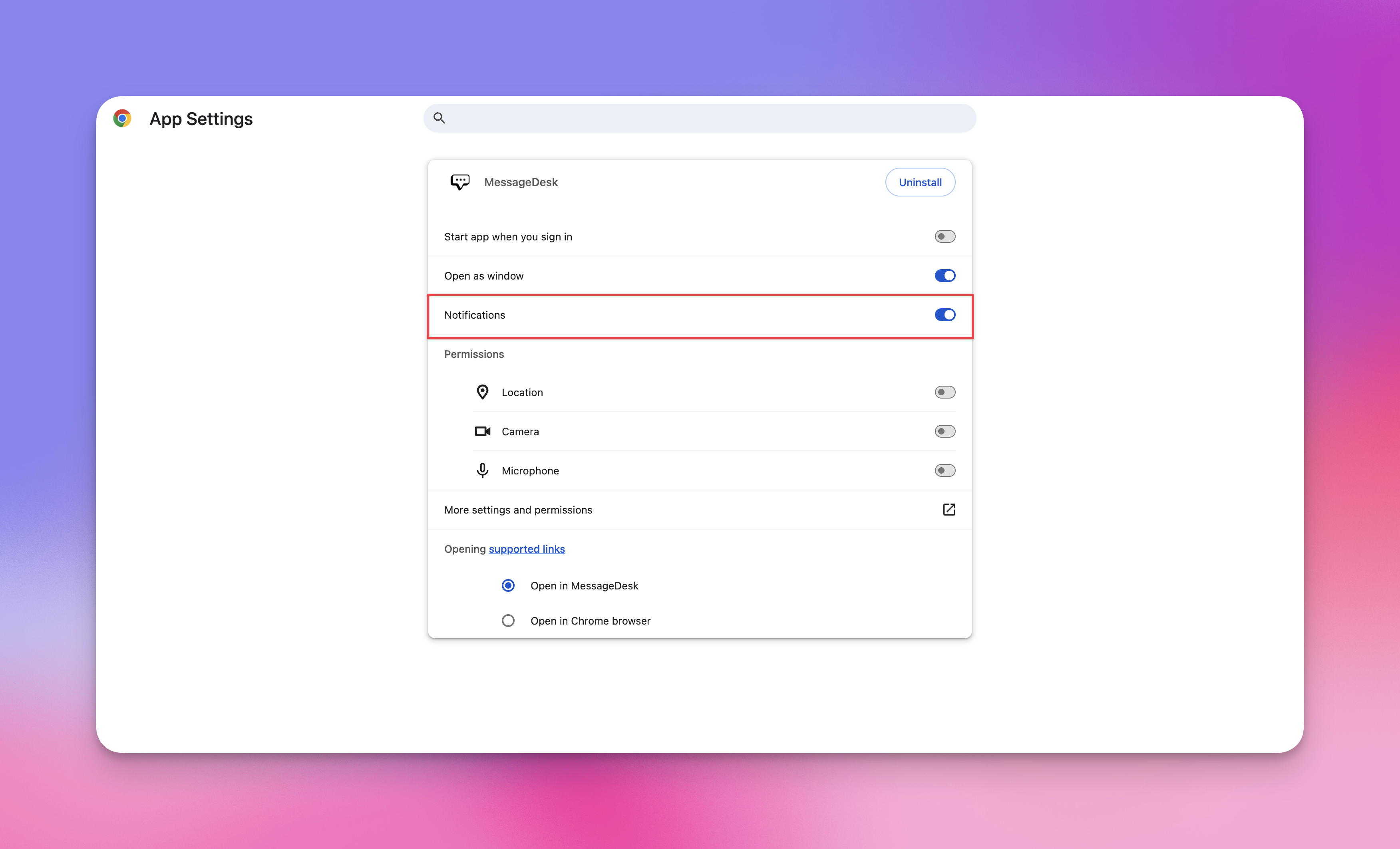
- Install MessageDesk as a Chrome App (PWA).
- Open your device’s Settings → Apps → MessageDesk.
- Open Notifications and toggle On.
Configure notifications: Safari App (macOS Sonoma+)
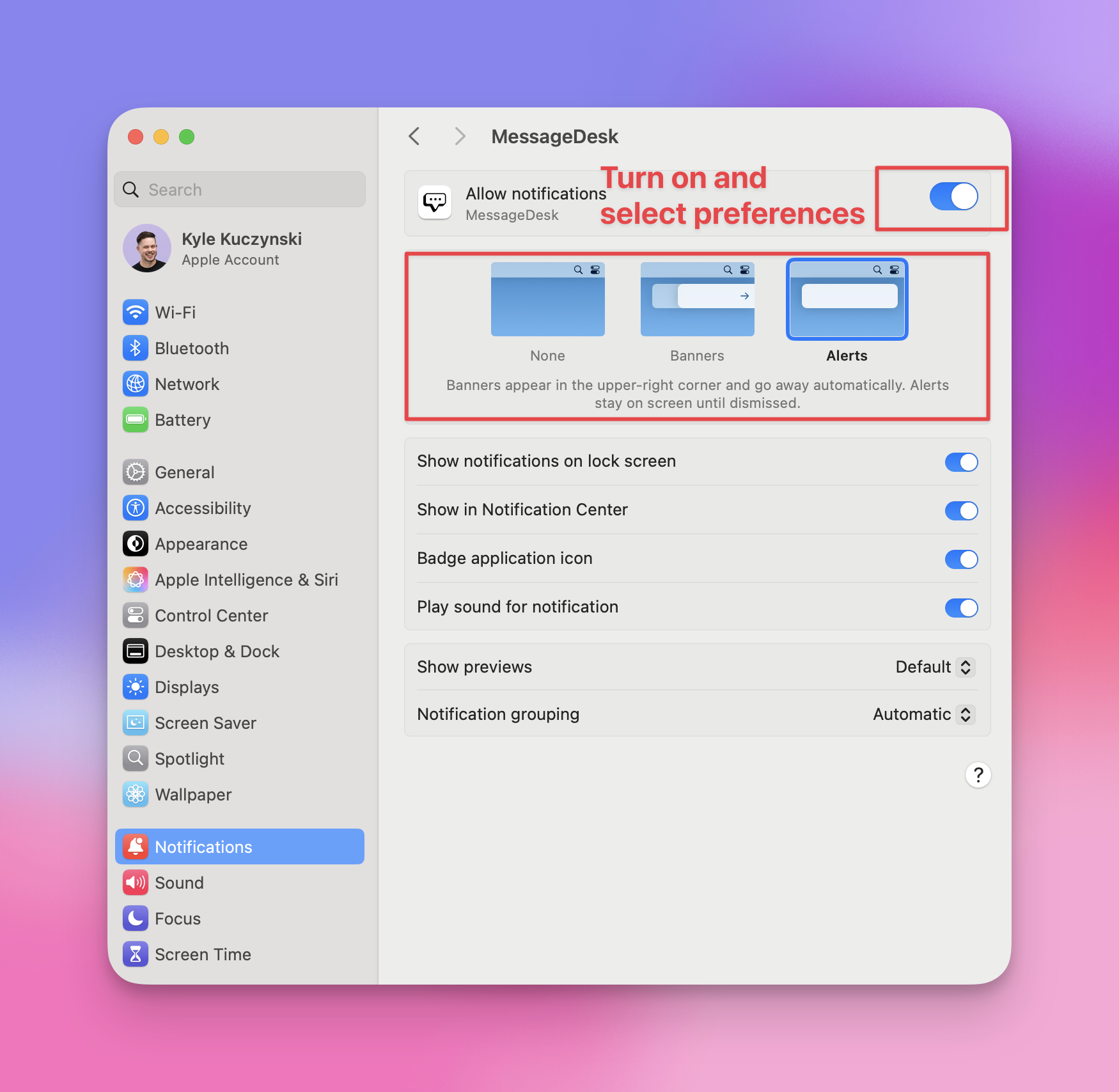
- Install MessageDesk as a Safari App.
- On your Mac, open System Settings → Notifications.
- Select MessageDesk and choose None / Banners / Alerts, plus sounds and badge options.
Notification tips & best practices
- Pick one or two primary channels. To cut noise, keep either mobile push or browser as your main real-time channel and rely on email as a backup.
- Use “Assigned to me” if you only want alerts for threads you own.
- Respect Focus / DND. iOS/Android Focus modes and macOS/Windows Do Not Disturb can silence MessageDesk. Check these if alerts seem quiet.
- Stay signed in. Push and browser notifications need an active login on that device.
- Test quickly. Assign a conversation to yourself and send a message to confirm that the device gets alerts.
Troubleshooting
I’m not getting any notifications.- Confirm the setting in Account → Settings → Notification Preferences.
- Make sure you’re signed in on the device.
- Check OS settings (iOS/Android/macOS/Windows) to verify that Notifications are allowed for MessageDesk.
- Turn off Do Not Disturb / Focus or add MessageDesk as an allowed app.
- Check spam/junk and allowlist
messagedesk.com. - Verify your email address in Account → Settings → Profile.
- If using “Assigned to me,” make sure the conversation is assigned to you.
- In the address bar, click the site settings icon and set Notifications: Allow.
- Make sure System → Notifications (Windows/macOS) allows Chrome notifications.
- Keep at least one MessageDesk tab open or use the installed app.
- Android push notifications are now sent at high priority for faster, more reliable delivery. If you’re still seeing delays, the steps below still apply.
- Make sure Background App Refresh (iOS) or unrestricted battery (Android) is on for MessageDesk.
- Log out and back in to refresh the device token.
- On cellular networks, push notifications may be delayed when signal strength is poor. That’s a device/carrier limitation, not a MessageDesk issue.
FAQ
If I set “Don’t send me notifications,” does that affect other users?No. Notification preferences are per user. Do I need both browser and mobile push?
No. Choose the channel that fits your workflow. Many users keep mobile push on and email off. Will I get duplicate notifications?
If you turn on multiple channels, you may get duplicates (email + mobile). Fine-tune by turning one off. Do closed conversations notify me?
Notifications follow your personal rule (“Assigned to me,” for instance). If a closed thread reopens and you’re assigned, you may get alerts again. What does the number on the app icon mean?
It’s your total unread conversations across the workspace, the same count shown next to All Conversations in the side nav and on the Inbox icon in the bottom nav. It only appears if notifications are enabled for the MessageDesk app at the device level, and it’s not filtered by your Notification Preference setting.