

Advanced Search
Advanced Search is MessageDesk’s full cross-module search. It covers every searchable item type (contacts, conversations, messages, comments, and labels) with per-type filters, pagination, and routing that takes you exactly where each result lives.On desktop, ⌘K opens Quick Search. Press Enter on a Quick Search result to escalate to Advanced Search at that result.
Open Advanced Search
You can launch Advanced Search several ways:- From Quick Search (desktop):
- Click the search icon next to a Quick Search result.
- Press Enter on a highlighted Quick Search result.
- Click Open Advanced Search at the bottom of the Quick Search dropdown.
- From mobile or tablet: Tap the search icon near the account settings icon. Advanced Search has its own embedded search box on mobile and tablet. Quick Search isn’t available there.
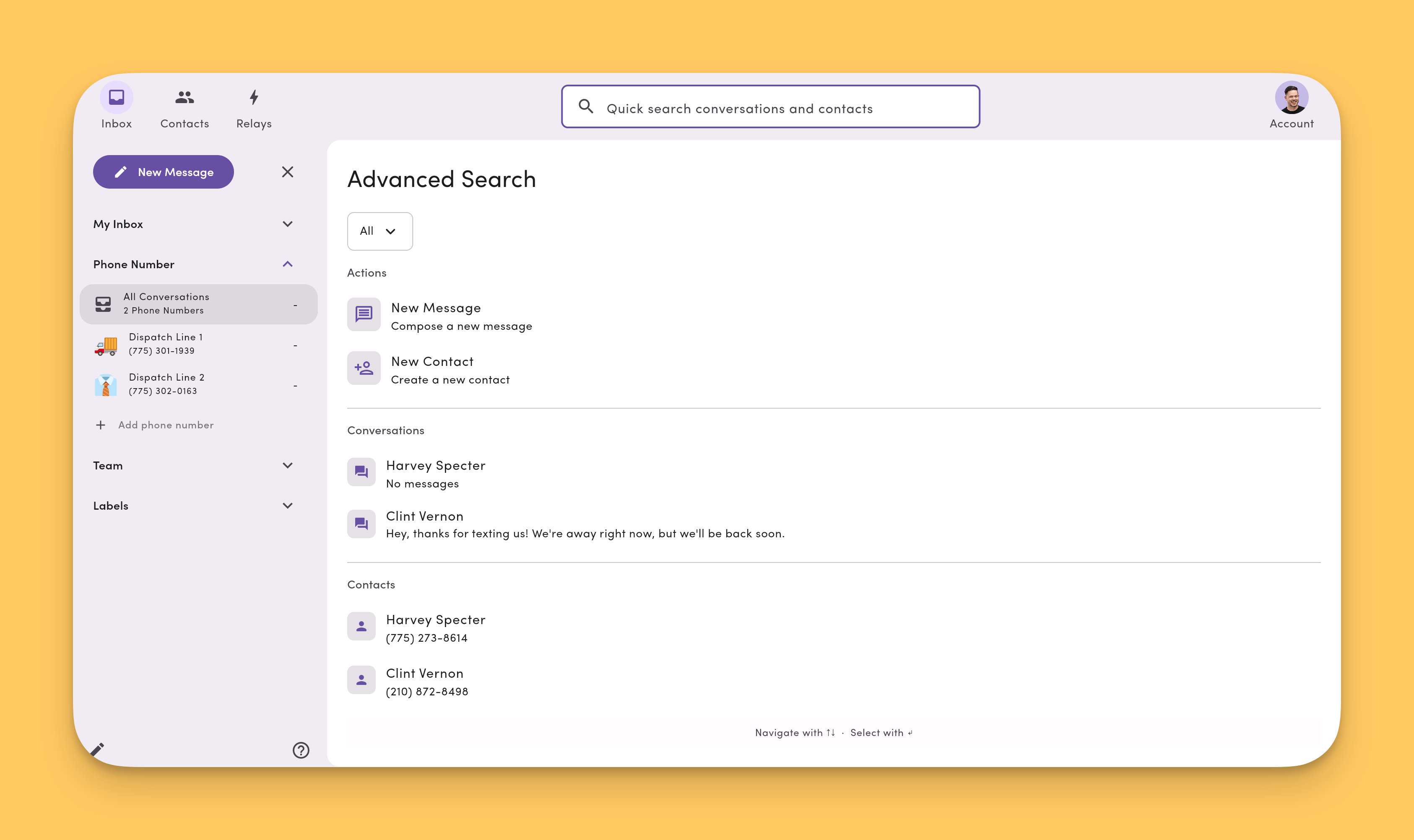
Side nav context is preserved
Advanced Search keeps you anchored in the module you launched it from:- If you’re in the Inbox, the inbox side nav stays visible.
- If you’re in Contacts, the contacts side nav stays visible.
- If you’re in Settings, the settings side nav stays visible.
Keeping the side nav visible is a UI convenience only. It doesn’t scope your search results to whichever phone line, label, or view is selected in the side nav. Advanced Search always runs across every conversation you have access to. See Filter by phone line for how to scope work to a single line.
Filter by phone line
Advanced Search doesn’t have a per-phone-line filter today. To work in the context of a single line, scope the Inbox first:- Inbox side nav. Click a specific phone line to see only conversations on that number.
- Inbox Filter. Click the Filter icon, pick Workspace phone, and select one or more numbers. See Filter & sort conversations for details.
Searchable item types
Advanced Search indexes five item types, each with its own filters and results section:
Each result type has its own pagination so you can drill into one type without losing the others.
Routing: where each result takes you
Clicking a result takes you to the right place automatically:- Contact → opens the contact profile.
- Conversation → opens the conversation in the inbox.
- Message → opens the conversation and scrolls to that message.
- Comment → opens the conversation and scrolls to that comment.
- Label → opens the labeled inbox view for that label.
30-day index window
Advanced Search keeps an indexed window of the most recent 30 days of messages and comments. This is what powers near-instant results for live workflows.Older results are backfilled from the database. They may take a moment longer to appear, but you can still search the full archive. Older matches are merged into the same results list.
Mobile and tablet
On mobile and tablet, Advanced Search is the only search experience. Quick Search isn’t available on those form factors. Tap the search icon near the account settings icon to open Advanced Search, type into its embedded search box, and tap any result to navigate.FAQ
Can I filter search results by phone line?Not today. Advanced Search doesn’t have a per-phone-line filter, and the phone line you have selected in the Inbox side nav doesn’t scope your search results. To work within a single line, scope the Inbox first from the side nav or the Inbox Workspace phone filter, then open results from there. See Filter by phone line. How do I tell which phone line a searched conversation belongs to?
Open the conversation and check its label in the Inbox list, or open Conversation details in the thread. Both show the phone line the conversation lives on.