

Hosting or porting?
MessageDesk supports both, and they’re genuinely different. Pick the one that matches what you want to happen to your phone service.What you can host
Hosting works for numbers that aren’t tied to a mobile device:- Landlines and traditional wired lines
- Local 10-digit numbers
- VoIP numbers from most business phone systems (see supported providers)
- Toll-free numbers — see Connect toll-free numbers for the separate verification process
Before you start
Canadian numbers are the exception. You can host numbers with a Canadian area code without an approved campaign. Canada doesn’t run on the A2P 10DLC registration system that US numbers require.A Canadian number added this way can only text Canadian recipients until you complete carrier registration and associate it with an approved campaign.
- The phone number you want to text-enable
- Your current provider and account details for that number
- The name and title of someone authorized to sign on behalf of the account holder
How to host a phone number
Click Phone Management
- From the left-hand navigation, select “Phone Management” under Workspace Settings
- If you don’t see
Phone Managementyou may not have access. Speak with your account administrator for more details.
- If you don’t see
Click Add Phone Number
- Click
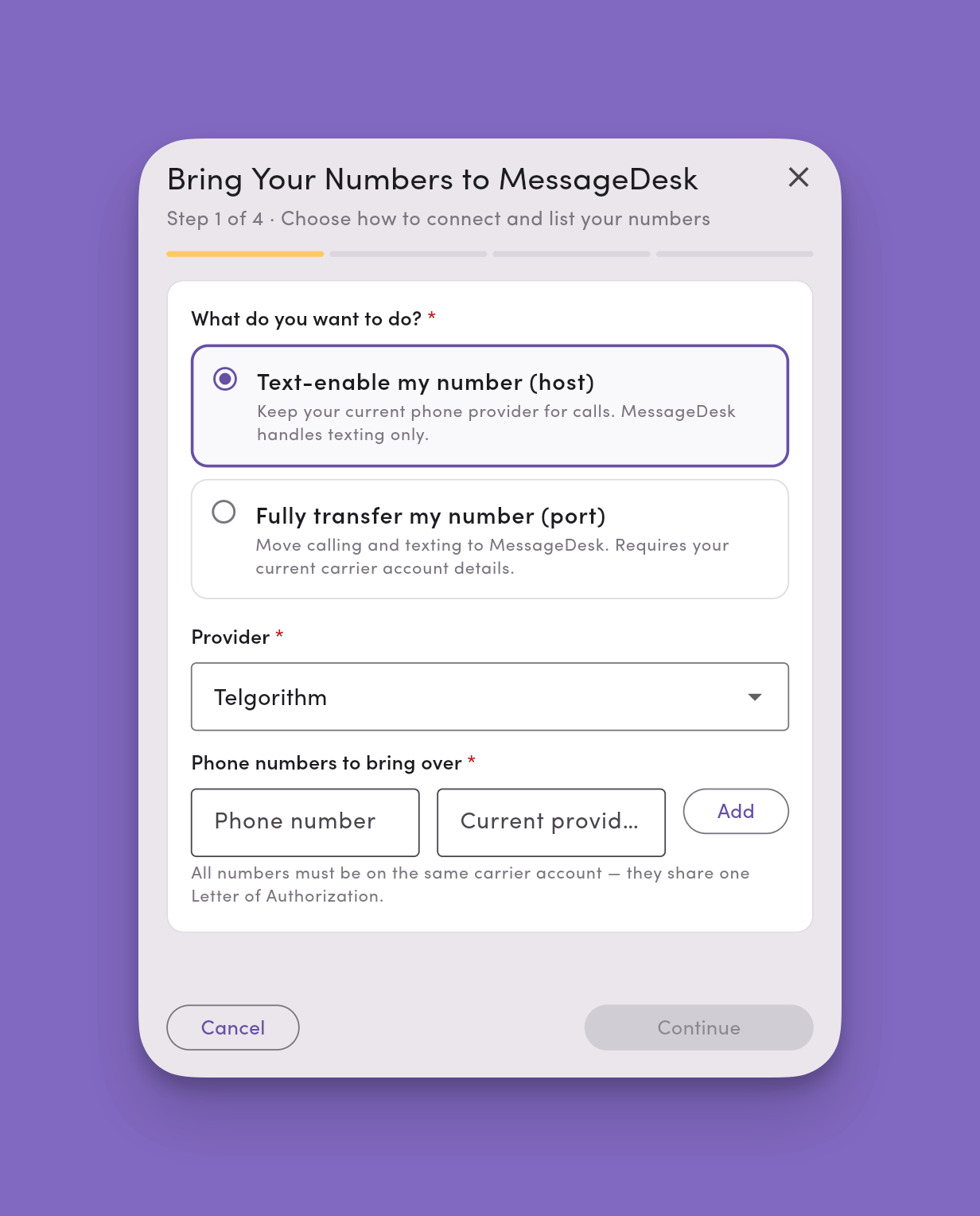
Add Phone Numberbutton in the top right corner of the Phone Management screen - Select Host existing phone number
Enter the numbers you want to host
- Enter the phone numbers and the current provider they’re tied to.
- MessageDesk checks whether the number can be hosted before you go any further. If it isn’t hostable, you’ll be told at this step rather than after submitting.
What happens next
- MessageDesk generates a PDF Letter of Authorization for you and submits it on your behalf to the carrier network.
- In some cases, number hosting completes in minutes, but for many, it can take up to 72 hours to complete configuration.
- Once MessageDesk submits the request, we have to wait for your existing provider to release the text messaging side of your phone line to MessageDesk.
- Durring this time, no action is required.
- Once MessageDesk receives the number, texting will be enabled automatically.
- We recommend logging in and checking your account periodically to monitor the number hosting process.
If you haven’t already completed carrier registration
Carrier registration is required for texting with MessageDesk. If you haven’t already completed this process, you’ll be prompted to do so first. Learn how to submit your carrier registration.Processing time
After you submit your Letter of Authorization (LOA), the carrier processes the hosting request. Processing time varies by provider:- Typical timeline: 5 minutes to 72 hours
Adding additional numbers later? You’ll need to complete a new LOA for each number you want to add. The same processing timeline applies.
What changes once your number is hosted
Moving voice later can break texting. If you move the voice side of a hosted number to a new provider, that provider often pulls the texting side back too. This is called a snapback, and it happens because MessageDesk doesn’t own the number outright. Tell your new voice provider explicitly that SMS stays with MessageDesk. See Removed numbers and snapbacks.
Supported VoIP providers
Below is a list of all supported VoIP providers. You can text-enable and transfer phone numbers from any of these providers to MessageDesk via phone number hosting. In this case, all of your calling, voice features, and service will remain with your VoIP provider. The text messaging associated with the number will move to MessageDesk. Many businesses and organizations configure their numbers in this way to get the best of both voice and text messaging features. Don’t see your provider? If your number is non-mobile and not tied to a mobile device, you can usually still transfer it to MessageDesk and enable texting.- Microsoft Teams Phone
- Cisco Webex Calling
- Zoom Phone
- RingCentral
- 8x8
- Nextiva
- Dialpad
- Vonage
- GoTo Connect
- Intermedia Unite
- Ooma
- aircall
- Avaya Cloud
- Mitel
- Sangoma
- Quo (formerly OpenPhone)
- Grasshopper
- Phone.com
- net2phone
- Verizon Business
- AT&T Business
- Comcast Business
- Spectrum Business
- Lumen Business
- Cox Business
- Frontier Business
- Rogers Business
- Bell Business
- TELUS Business
FAQ
Will hosting interrupt my phone service?No. Voice keeps working throughout, and there’s no cutover window for calls. Only texting changes hands. Can I undo hosting?
Yes. Hosting is reversible in a way porting isn’t. Texting returns to your provider if you stop hosting with MessageDesk, though you may need them to re-enable it. Do I need a new LOA for every number?
Yes. Each number needs its own Letter of Authorization, even numbers on the same account. My number couldn’t be hosted. Why?
MessageDesk checks hostability before you fill out the LOA. Mobile numbers, Google Voice numbers, and some carrier configurations can’t be hosted. Contact support if you think the result is wrong. What if I want to move voice to MessageDesk too?
That’s a port, not a host. See Port a phone number to MessageDesk — and note that MessageDesk doesn’t provide full voice service, so you’d set up call forwarding after.